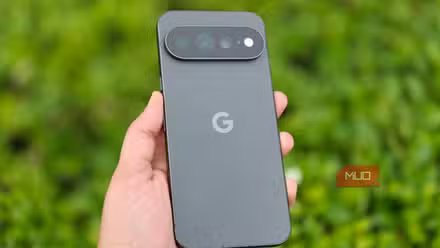
Pixel phones are great out of the box, but “great” isn’t the same as “complete.” Once you’ve actually started using the phone, it doesn’t take long to realize there’s a lot missing. This becomes even more obvious if you’re coming from a Samsung or OnePlus.
I recently switched to a Pixel 10a, and instead of waiting around for Google to fix things, I went looking for apps that would. These are the ones that made the cut.
One Click Lock Screen
Having more options is always great

Let’s start with the simplest one. The first thing I noticed while setting up my Pixel is how there’s no way to lock the screen without pressing the side button. You get “Tap to Wake” and even “Lift to Wake,” but there’s no gesture to lock the screen. That’s a standard feature on most Android phones at this point.
So the first app on the list isn’t the most exciting. It’s called One Click Lock Screen, and it lets you lock the screen using a home screen widget, a Quick Settings shortcut, or a notification. The thing I like the most is that its home screen widget is blank, so it stays invisible. You can even resize it to make the tap area larger.
MacroDroid
Automate almost anything
MacroDroid is one of the best automation apps for Android. It lets you build automations based on simple “if this, then that” rules. That’s without forcing you to write code or do anything complex, of course.
For instance, you can set up a macro that silences phone calls when the phone is in your pocket or hand. You can create another automation that enables auto-rotate when you’re using apps like YouTube or Maps. It can even automatically turn off Bluetooth and location services when the battery is low.
There are over 80 triggers and 100 actions to mix and match, so it’s only about how creative you can get. And you don’t have to start from scratch. There are hundreds of community-made mods, so you can simply grab one that solves your problem and tweak it. If you’ve found Pixel Rules to be a little too basic, this is the app to try.
Panels
Bringing Samsung’s best idea to Pixel

This one can be subjective, but as someone who’s switching from a Galaxy phone, I missed Edge Panels on my Pixel. Thankfully, getting it back wasn’t difficult at all.
Panels is a free app that adds a sidebar launcher, so you can swipe in from the edge of the screen to get to your apps, contacts, widgets, website shortcuts, and other toggles like Wi-Fi, Bluetooth, sound, and dark mode.
It’s super handy for launching apps and checking widgets without going to the home screen. I can even access most of my quick settings toggle without swiping down from the top of the screen. It’s also completely customizable, so I can move options around, resize the panel size, and even change its location. In many ways, it’s actually better than Samsung’s Edge Panel.
Wavelet
Make any earbud sound great

If you use wireless earbuds or headphones, this is the one app you shouldn’t miss. Wavelet is a system-wide equalizer that leans on AutoEq, which is a massive database of profiles tuned for specific headphones. You simply need to select your earbuds or headphone model, and it takes care of making it sound unbelievably good.
The free version covers AutoEq and a graphic equalizer, which is enough for most people. But if you’re an audiophile, the paid version has a bass booster, virtualizer, reverb effects, and plenty more, all for less than six bucks.
Essentials
The tweaks Google should’ve shipped

I saved the best one for last. Pixel is known for its clean software, but sometimes, that can also sometimes make the phone feel like it’s too basic. For instance, I love how Samsung gives you Good Lock to tweak things exactly how you like. You don’t get that kind of flexibility on a Pixel out of the box, and Essentials is an open-source app that changes that.
It bundles little tweaks that let you fix some of the biggest annoyances with your Pixel phone. For instance, it lets you remove that stubborn search bar from the home screen, that navigation bar from the bottom, and unnecessary status bar icons. It even lets you remap buttons, so you can assign the long press action on the volume up or down button for things like triggering the silent mode or controlling the music playback. Heck, it even lets you bring Google Maps’ power saving mode to any Pixel phone.
My favorite is the stack widgets, something I’ve missed ever since switching to a Pixel. The only catch is that some of these tweaks do require Shizuku, which involves a bit of setup. But if you can get through that, this is hands down one of the best apps you can install on your Pixel.