Watching an LLM spit out lines and lines of code in seconds that would’ve typically taken a developer hours, if not days, to write still feels a little dystopian to me. As a computer science major who’s spent countless hours trying to get even the simplest programs to work, it’s honestly a little terrifying to think about just how much these tools are capable of.
At the same time, I’d be lying if I said I wasn’t equally fascinated by the possibilities they’re opening up. Up until a few months ago, when a fresh idea popped into your head, your options were fairly limited. You either had to have the technical skills to bring it to life yourself, spend months learning how to build it, or find someone who could do it for you. Now, with AI coding tools, you can go from an idea to a working application in a matter of hours, sometimes even minutes.
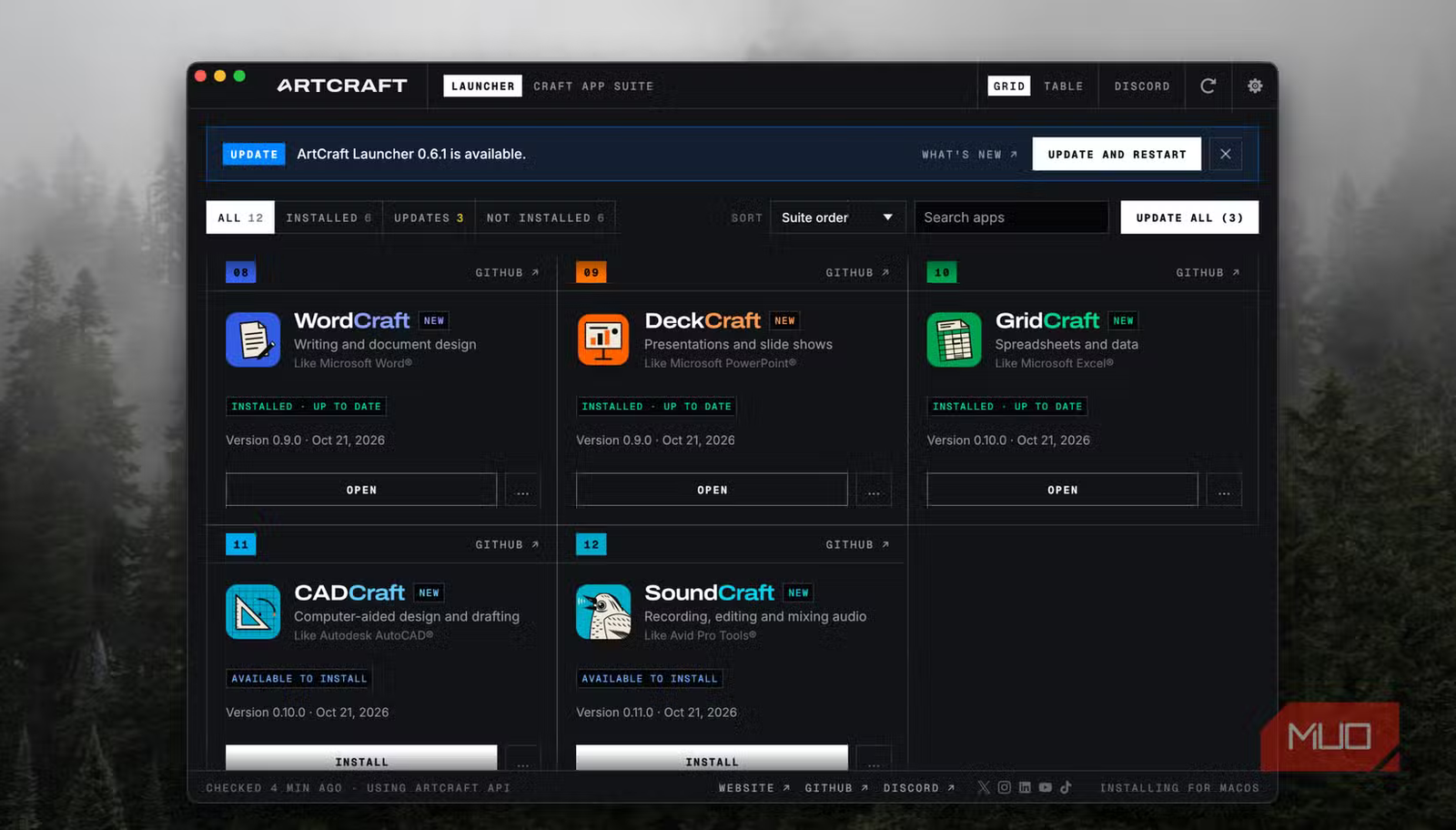
Beyond experimenting with my own vibe-coded projects, I’ve always made it a point to keep up with what other people are building using these tools. One developer, for example, has gone as far as recreating some of the biggest names in software, including Microsoft Word, Excel, and PowerPoint, using AI coding tools. Naturally, I had to put them to the test.
A developer used Claude to build free alternatives to Word, Excel, and PowerPoint
And this isn’t even his first rodeo

If you’ve been following the software and AI space for a while, you might already be familiar with ArtCraft, a project by software engineer Brandon Thomas. To quickly catch you up, Adobe’s subscription practices frustrated Thomas so much that he decided to take matters into his own hands and create his own alternatives.
Though he did have 15 years of software engineering experience under his belt, he decided to turn to Claude Opus 5.5 and use AI to do much of the heavy lifting. The result was seven free, open-source alternatives to some of Adobe’s most popular Creative Cloud applications, including PhotoCraft (Photoshop), LightCraft (Lightroom), and FilmCraft (Premiere Pro). All seven apps are written in Rust, a programming language known for its performance and memory safety, and are available for Windows, macOS, and Linux.
Thomas shared that he’s been working on ArtCraft for around a year now, and that his ambitions extend far beyond simply recreating Adobe’s software. While he initially described the project as part of a larger effort to make professional creative tools more accessible, it looks like we’re already beginning to see just how far those ambitions go.
Apparently, recreating Adobe’s Creative Cloud suite wasn’t enough, because he’s since gone a step further and built free, open-source alternatives to Microsoft Word, Excel, and PowerPoint, too.
WordCraft might be my favorite free Microsoft Word alternative yet
Word on the street is, it’s pretty good
I’ve never been a fan of Microsoft Word, which means I’ve tried my fair share of alternatives over the years. Unfortunately, most have left me disappointed in one way or another. There’s LibreOffice, for example, which I used for a university project last semester. Unfortunately, I ended up losing my document while working on that project, and the experience has left a pretty bad taste in my mouth ever since.
Since I’m already pretty deep into Apple’s ecosystem, I figured Apple Pages would be the obvious choice. Except that came with its own fair share of problems. Syncing between my devices hasn’t always been reliable, and I’ve had documents randomly refuse to open, which is the last thing you want when you’re trying to get work done.
Thankfully, WordCraft has turned out to be one of the better Word alternatives I’ve tried so far. For starters, the interface is remarkably similar to Microsoft Word’s, so there’s practically no learning curve involved! You get the familiar ribbon interface, formatting options, styles, tables, and most of the tools you’d expect to see in a word processor. I’ve done three assignments on WordCraft so far, and the experience has been extremely smooth. I can’t tell I’m not using Word!

So, I can confidently say that WordCraft is an excellent alternative if you’re using it in a personal capacity. I wouldn’t go as far as calling WordCraft a full-fledged Microsoft Word replacement just yet, though. While my experience with it has been remarkably smooth, a quick look through its GitHub issue tracker reveals that some users have run into problems with saving documents, preserving formatting, and exporting footnotes.
It also lacks the real-time collaboration features you’d find in Google Docs or Microsoft Word, which could be a pretty significant limitation if you frequently work on documents with other people. LibreOffice is still a more mature alternative, but considering how new WordCraft is, I think it’s already off to a promising start.
GridCraft is just as impressive, but it has its limitations
There’s still some room in these cells
Frankly, I’m in no way an Excel power user. I rarely work with PivotTables, don’t rely on particularly complex formulas, and haven’t really had a reason to explore some of Excel’s more advanced features. That said, I still find myself turning to spreadsheets pretty frequently, whether it’s for analyzing data, tracking my work, or organizing information for college assignments.
So, while I can’t speak for someone who spends their entire workday buried in complex Excel workbooks, I can certainly judge whether GridCraft is good enough for the kind of everyday tasks I rely on spreadsheets for. Similar to my experience with WordCraft, GridCraft has turned out to be surprisingly capable.
The interface looks and feels extremely similar to Microsoft Excel, and I was able to import an existing spreadsheet that I regularly use for work without much trouble. Most of the formulas worked as expected, and I could edit the spreadsheet just as I normally would.
I did notice a slight lag when navigating around larger spreadsheets, particularly when selecting cells. It’s not a major issue, but there’s a tiny delay that makes the experience feel a little less responsive than Excel or Google Sheets.
Of course, my experience doesn’t necessarily reflect what someone who relies heavily on Excel’s more advanced features might encounter. I came across a Reddit discussion where users pointed out that GridCraft still lacks a Power Query equivalent and VBA support, along with some limitations surrounding PivotTables.
Ultimately, I think GridCraft is in a pretty similar position to WordCraft. It’s already a compelling free alternative if you’re using it for everyday tasks, but if your work depends on complex Excel features, you might find yourself running into limitations fairly quickly.
DeckCraft does its job, but leaves a lot to be desired
Not quite a picture-perfect presentation
Of the three applications, DeckCraft is probably the one I was most curious to test. While I still use Microsoft Word and Excel every now and then, I’ve largely moved away from PowerPoint in favor of Canva and Adobe Express, particularly because of its extensive template library. So, I wanted to see whether DeckCraft could convince me to give a more traditional presentation editor another shot.
I decided to put DeckCraft through two tests. First, I opened an existing PowerPoint presentation that I’d received to see how well it handled .pptx files. To my surprise, it worked remarkably well! The presentation opened without any issues, and the formatting and layout appeared just as I’d expected. Considering how new DeckCraft is, I was impressed that I could open an existing presentation without having to spend ages fixing things.
Next, I decided to try creating a presentation of my own, and that’s where I started noticing some limitations. Whenever I’m working on a presentation, I almost always start with an existing template and use it as a foundation to build my own design around. In fact, that’s one of the biggest reasons I’ve largely switched to Canva. Its extensive template library means I can usually find something close to what I have in mind and customize it from there, rather than spending hours designing every slide from scratch.
Unfortunately, DeckCraft currently offers just six presentation templates, and while there are a handful of themes to choose from, they’re largely variations in fonts and color palettes rather than fully designed presentations. For someone like me who almost always uses templates as a starting point for my designs, this was easily the biggest disappointment. Sure, you can create a presentation from scratch, but that means spending considerably more time on the design side of things.
So, if you’re someone who relies heavily on templates like I do, you’ll probably find yourself spending a lot more time on the design side of things.
That said, I don’t think DeckCraft is a bad presentation editor by any means. It handles the essentials pretty well, and the fact that I could open an existing PowerPoint file without running into any noticeable compatibility issues is certainly a plus. However, compared to my experience with WordCraft and GridCraft, I think DeckCraft has a little more catching up to do before I’d seriously consider switching to it for my everyday presentations.
The ArtCraft apps have two more things going for them
Your storage will thank you
Another thing I’ve noticed across the ArtCraft applications is just how ridiculously fast they are. They’re all lightweight, launch quickly, and don’t feel nearly as resource-heavy as their Microsoft Office counterparts. For context, WordCraft takes up just 218 MB on my Mac, DeckCraft occupies 187.6 MB, and GridCraft is even smaller at just 68.8 MB.
Compare that to Microsoft’s Office applications, which can sometimes take up well over 2 GB of storage each. Given that my MacBook has fairly limited storage, I’ve lost count of how many times I’ve had to delete and reinstall Microsoft’s apps just to free up some space. So, having alternatives that take up a fraction of the storage is a pretty significant advantage.
There’s another benefit worth mentioning, particularly for Linux users. All three ArtCraft applications are available for Windows, macOS, and Linux. Microsoft, on the other hand, doesn’t offer native desktop versions of Word, Excel, or PowerPoint for Linux. While you can still access Microsoft’s Office apps through a browser, having lightweight desktop alternatives that look and feel so similar to their Microsoft counterparts is certainly a plus.
Ultimately, I don’t think the ArtCraft applications are quite ready to replace Microsoft Office for everyone just yet. However, considering that they’re completely free, open source, and still in their early stages, I’m impressed by how much they already have to offer!