While I love installing as many apps on my Android phone as possible, I also enjoy purging them when I get bored and start ignoring most of them.
Most of them didn’t deliver what they advertised, or they overlapped with native features on my phone or Gemini. That’s largely true for the latter, especially as Gemini continues to mature.
I finally worked up the courage to remove these redundant apps, and I was surprised by how much storage space I reclaimed by letting Gemini take over their duties.
Gemini has gotten surprisingly good
It’s a true everyday utility

Gemini started as a basic chatbot, but Google steadily integrated it across its ecosystem.
I wasn’t a fan at first, and I mostly blamed its sloppy early performance and unconvincing practical use cases.
However, Google keeps polishing the experience.
But with extensive, seamless Android integration, I’ve turned Gemini into a utilitarian assistant.
I realized many of the tools I used before have sat idle because Gemini now overlaps with their capabilities.
That gave me the perfect opportunity to spring-clean these unused apps and free up a lot of storage space.
I used Gemini and Find Hub to cut my annual deep-clean from a full day down to two hours
Photo editing apps are going straight to the bin
Gemini lets me edit using prompts

A few years ago, I used Adobe Lightroom and Snapseed heavily to edit photos I mostly publish on Facebook or Instagram.
Part of my daily work also involves designing banners and editorial illustrations.
Gemini has taken over most of my light, casual editing, from erasing photobombers and unwanted distractions to improving overall exposure.
I also find Gemini’s image-generation chopshandy for extending a scene or swapping the background.
It also handles resizing images and simple tasks like overlaying text or designing a header, things I used to do in Canva or Photoshop.
Google recently added multistep prompt support through Task, letting me organize my library and batch edit an entire album on the fly.
That notably reduces the time it takes to apply the same adjustments inside Adobe Lightroom.
These four apps usually take up about 2GB of storage on my Pixel 9 Pro XL, with Lightroom as the biggest offender, so ditching them freed up that space instantly.
I made Gemini my language tutor
Duolingo and Memrise got the boot

I previously subscribed to a couple of language learning services, specifically Duolingo and Memrise.
When Google expanded Gemini, however, its conversational tutoring quickly became one of the most useful skills I consider.
I created a dedicated chat thread for learning Japanese.
I programmed Gemini to create personalized lessons tailored to my current Japanese knowledge and proficiency.
I also assembled a cheat sheet and grammar guide based on the specific areas I need to catch up on, like memorizing basic kanji.
Gemini Live is also a neat trick for testing my speaking skills. I turned it into my personal tutor when I needed to practice words or phrases through active speaking and listening.
It isn’t a 100% replacement, since I still find Duolingo or Memrise’s visual lessons more effective.
But for someone with intermediate knowledge, Gemini is a dependable language learning companion.
After uninstalling those apps, I reclaimed about 600MB of storage.
Pixel Screenshots
Gemini works as a memory bank

I find Pixel Screenshots nifty for recalling and searching details based on the visual memory the screenshots create.
However, Gemini can be a solid substitute for Pixel Screenshots, especially on Pixel phones that don’t natively support the feature.
More importantly, the Pixel Screenshots app takes up a lot of storage on my phone, hogging about 1.4GB of space.
I admit Gemini isn’t an exact mirror of Pixel Screenshots, since the chatbot cannot automatically surface text or data embedded in an image without me pulling and uploading it to the prompt or sharing my screen.
Instead, I designed it as my personal assistant by using a dedicated thread where I feed screenshots, text notes, and reminders pulled from Gmail, Calendar, and other apps.
To pull up information, you can jump directly into that thread, or invoke the Google Photos connector.
Type @ and select Google Photos as your extension, then type your prompt.
This enables faster queries and retrieval of relevant details from images and notes saved in the chat or even in Google Photos.
I uninstalled redundant note apps
Gemini organizes my notes
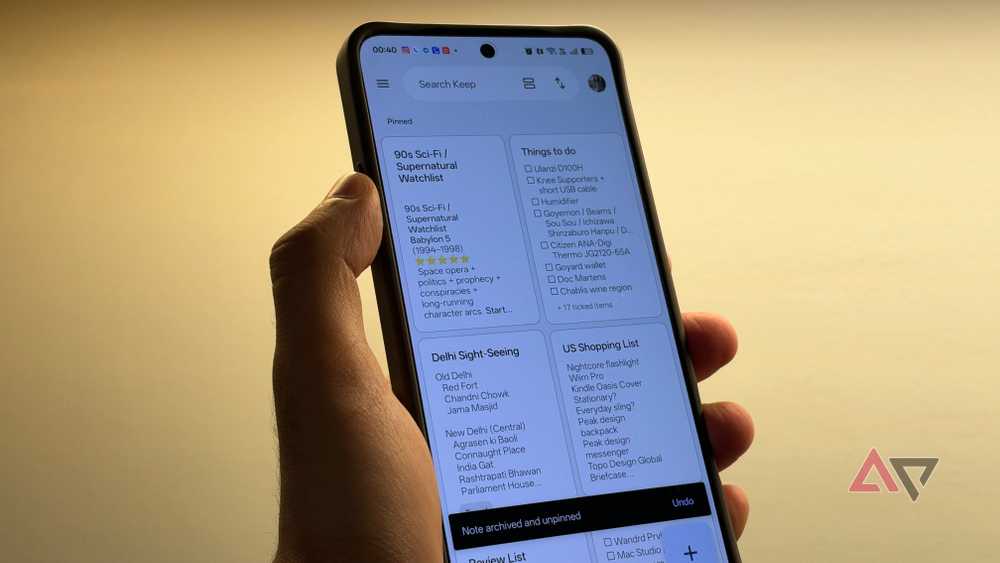
Besides Keep Notes, I also used OneNote and Evernote. Both are incredible writing tools, but running them alongside Keep Notes felt repetitive.
Plus, their features completely overlap with what Gemini brings to the table for organizing my notes.
Gemini integrates with Keep Notes, letting me access and edit my notes inside Gemini.
On the web, it has built-in support for viewing and editing notes in the chat.
OneNote and other major competitors lack this capability because they don’t integrate natively with Gemini.
Deleting those two extra apps saved me another 600MB of storage.
Type @ and choose Keep Notes for faster querying of note-related prompts on Gemini.
Deleting Microsoft and Adobe office suites
Gemini turns into an all-in-one file editor


In-chat file editing and document generation in Gemini make it a viable replacement for Adobe Acrobat, Microsoft Word, and Excel.
With Gemini, I can quickly create downloadable PDFs, text documents, or spreadsheets from notes and summaries.
File conversion is also supported, so I can transform a rough note into a clean PDF, or vice versa, with a single prompt.
Granted, these tools output Google-centric formats like Docs, Sheets, and Slides, so you should keep that in mind if you regularly share them with users who rely on third-party office suites.
If you are heavily invested in Google’s ecosystem like I am, though, this won’t be an issue.
Ditching those heavy office apps recovered around 500MB of local space.
Gemini makes these apps completely redundant

As Gemini gets smarter and gains more capabilities, these apps on my Android phone feel like unnecessary bloat.
After a quick audit, I recovered roughly 10GB of storage, and while that might not sound massive, reclaiming every gigabyte is still a welcome win.
Beyond freeing space, purging these repetitive apps also has a surprise benefit: it cleans up my home screen.