
Business, Featured
By Anthony Isibor
THE Nigerian Communications Commission, NCC, has advised that before buying a new mobile phone in Nigeria, consumers should take a simple step to establish whether the device has the necessary regulatory approval by checking its identification details through the NCC’s Device Checker Platform.
The NCC says that the platform is designed to help consumers verify device information and support efforts to prevent counterfeit and non-compliant equipment from circulating in the Nigerian market.
Speaking at a media briefing by the Lagos Zonal Office on Thursday, the Director of the Lagos Zonal Office, Tunji Jimoh, urged consumers to verify devices before purchase and patronise reputable, licensed dealers.
Similarly, Kings Adeyemi, Head of the NCC Wireless Network, Technical Standards and Network Integrity Department, explained that the system uses device identification information to check relevant records.
On how consumers can approach the process, Adeyemi said:
“Step 1: Find your phone’s IMEI number. The International Mobile Equipment Identity, or IMEI, is a unique identification number assigned to a mobile device.
“Most mobile phones have a 15-digit IMEI. To retrieve it, open the phone’s dialler and enter:
“*#06# The number should appear on the screen.
“Depending on the device, the IMEI may also be found in the phone’s settings, on its original packaging or in the manufacturer’s documentation.
“For a phone that supports two SIM connections, there may be more than one IMEI. Consumers should check the relevant identifier or identifiers displayed by the device.
Step 2: Open the NCC Device Checker portal
The commission identified its consumer verification portal as:
Consumers should access the official portal and follow the instructions provided.
Because websites and online services can change, users should confirm that they are on an official NCC page before submitting information.
They should avoid unfamiliar websites that request unnecessary personal or financial details in exchange for an IMEI check.
Step 3: Enter the IMEI number
Enter the device’s IMEI in the field provided on the portal.
Check the digits carefully before submitting the information. A wrong digit can produce an incorrect or inconclusive result.
The NCC’s platform connects with relevant device identification records and the commission’s type-approval system.
According to Adeyemi, the system can use the IMEI to retrieve information associated with the device from the relevant database.
Step 4: Review the result
After submitting the number, follow the instructions displayed by the portal.
The purpose of the check is to help establish the device’s identity and relevant regulatory status.
If the platform indicates that the device has the required approval, consumers should still ensure that the physical device matches the information provided by the seller.
If the result indicates that the device is not approved, cannot be verified or has questionable identification details, consumers should not ignore the warning.
They should seek clarification from the seller and the NCC before buying or continuing to use the device.
A result that cannot be verified does not, by itself, establish every possible reason for the problem. It may require further investigation.
Step 5: Compare the IMEI on the phone with its packaging
Consumers should check whether the IMEI displayed on the phone corresponds with the identification information on the packaging or other relevant documentation.
A discrepancy should be treated as a warning sign requiring clarification.
Buyers should also examine the device for signs of tampering and obtain a proper receipt showing the seller’s details.
Where possible, they should purchase from authorised outlets that can provide evidence of the device’s origin and relevant documentation.
Step 6: Confirm the model’s type-approval status
Checking an IMEI is not exactly the same as checking whether a particular phone model has received type approval.
Adeyemi explained that type approval is a process through which the NCC assesses a specific brand and model of telecommunications equipment against applicable technical requirements.
Manufacturers submit product samples and technical documentation for assessment. If the model satisfies the relevant requirements, the commission grants approval.
The NCC publishes information on approved equipment models so that relevant authorities and industry participants can verify their status.
Consumers who are uncertain about a device should therefore check both its identification information and the regulatory status of its model.
What if the phone is not approved?
Consumers who receive an adverse or inconclusive result should contact the seller and seek clarification from the NCC before making a purchase.
If they have already bought the device, they should retain their receipt, packaging and other relevant documentation while seeking assistance.
They should not assume that a seller’s assurance that a phone is genuine automatically establishes that it has the necessary regulatory approval.
Equally, they should not conclude that a device is counterfeit solely because an online check produces an unclear result. The result should be investigated.
The NCC said it had developed online guidance for consumers and industry participants to improve understanding of device verification and compliance.
Jimoh also stressed at the briefing that the Device Checker is not a surveillance tool.
According to him, the platform does not access users’ personal messages, photographs, contacts, financial information or other private content stored on their devices.
Adeyemi explained that the IMEI identifies the equipment, while the associated technical attributes are maintained through relevant identification systems and manufacturer records.
The commission said the platform’s purpose is to support device identification and regulatory compliance.
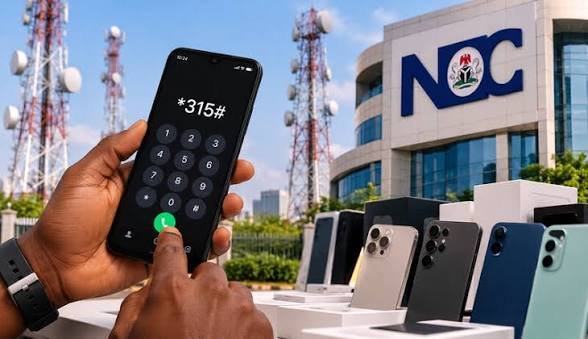
The NCC identified 315 as a unified short code for consumer support and related services.
Consumers who have difficulty verifying a device should confirm the available services through their network operator or the commission’s official channels.
The NCC says non-compliant devices can interfere with telecommunications networks because they may not follow the expected technical requirements for communication with base stations.
Adeyemi explained that compliant phones and network infrastructure coordinate transmission power to maintain communication and reduce unnecessary interference.
Devices that do not operate within the required parameters may disrupt service for other users in the same area.
The commission’s Device Checker initiative is intended to help address this problem while giving consumers better information before they spend money on a phone.
Consumer checklist before buying a phone
Retrieve the phone’s IMEI by dialling *#06#.
Verify its identification details through the NCC’s official Device Checker portal.
Confirm the model’s type-approval status where necessary.
Compare the IMEI displayed on the phone with the packaging and relevant documentation.
Buy from reputable, licensed dealers.
Obtain a receipt and keep the product documentation.
Seek clarification from the NCC if the verification result is unclear or raises concerns.
The commission says consumers who take these steps can make more informed purchasing decisions and help reduce the circulation of counterfeit and non-compliant devices in Nigeria.
A.I
Oct. 29, 2026
Tags: Kings Adeyemi Tunji Jimoh