

NVIDIA expanded its AI-driven rendering technology once again this year through DLSS 4.5. Beginning with Super Resolution powered by a second-generation Transformer model, it introduced Dynamic Multi Frame Generation—which adjusts the number of generated frames according to the target frame rate—followed by Multi Frame Generation up to 6x. In addition, Ray Reconstruction, responsible for ray tracing and path tracing image quality, has also been updated with the second-generation Transformer model.
DLSS 4.5 Ray Reconstruction was first unveiled at Computex last May and became available through the NVIDIA app starting from Gamescom on August 25. Like the original Ray Reconstruction, it supports the entire GeForce RTX 20/30/40/50 series. NVIDIA highlighted titles such as Alan Wake 2, Cyberpunk 2077, Pragmata, Resident Evil Requiem, and Crimson Desert among its early supported games.
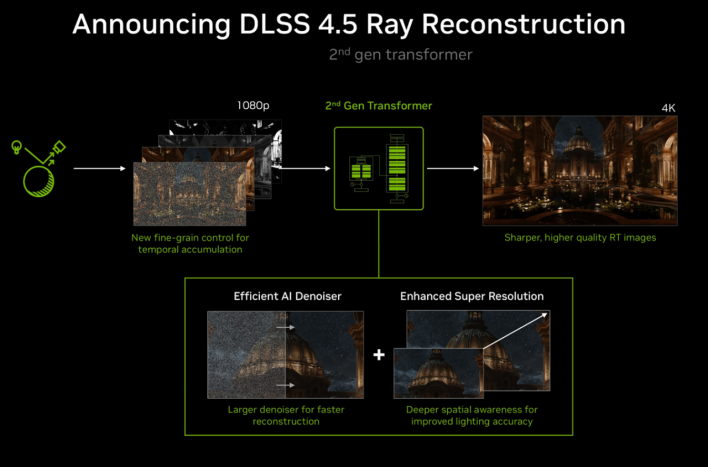
The goal of this update is not to dramatically boost frame rates. The core purpose is to reduce noise, ghosting, and unstable reflection rendering that occur during ray tracing, leaving detail in light and shadows on screen more accurately and stably. To achieve this, a new second-generation Transformer model was applied, processing 20% more parameters while increasing computational capacity by 35%.
How much of a difference does it actually make on screen? Following NVIDIA’s review guide, we ran Pragmata and Resident Evil Requiem on a GeForce RTX 4070 to test the visual changes brought by DLSS 4.5 Ray Reconstruction firsthand.
AI Rebuilding Ray-Traced Visuals
What’s New in DLSS 4.5 Ray Reconstruction
Ray tracing does not literally calculate infinite real-world light to project onto the screen. Because a game must run in real time, it casts a set number of rays to gather light information, constructing the final image from that collected data.
However, the issue is that rays cannot be cast onto every single pixel. Areas with insufficient data develop noise, resembling fine dots or artifacts. Left unaddressed, the game image strays far from the clean visual standard players expect.
Denoiser technology was designed to solve this problem. It is easy to understand if you think of taking a smartphone photo in low light, where grain and noise appear on screen. If you apply denoisers too aggressively, the noise disappears, but fine details like hair or fabric textures get smudged alongside it. A similar issue occurs in ray tracing. The goal is to clean up sparse ray information while retaining as much original scene detail as possible.
DLSS Ray Reconstruction replaces the manually tuned denoisers used in traditional games with an AI network to handle this task. Trained on NVIDIA supercomputers, the AI analyzes areas where rays were not directly sampled to reconstruct necessary pixels, handling both denoising and DLSS Super Resolution within a single model.
DLSS 4.5 applies the second-generation Transformer model to this process. According to NVIDIA, the new model processes 20% more parameters and increases computational capacity by 35%. The training dataset has also expanded, making more active use not only of individual pixel positions but also motion data provided by the game engine.
As a result, NVIDIA places special emphasis on “temporal stability” in this update. To put it simply, imagine moving your character left and right while looking at a sign reflected in a window. While having a sharp sign in a single screenshot matters, if the sign’s shape jittered slightly or flickered in and out frame by frame while moving, the overall visual presentation would fall short. DLSS 4.5 Ray Reconstruction analyzes information across previous and current frames together to reduce this jitter, focusing on maintaining consistent detail even in motion.
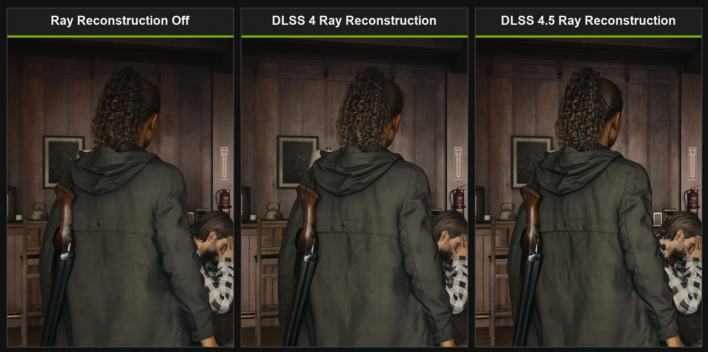
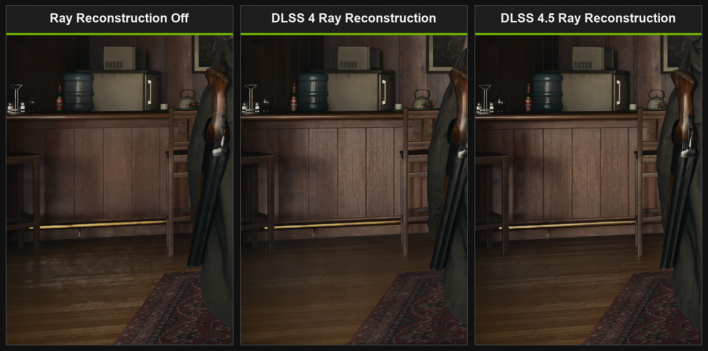
Compatibility remains broad, just as before. Unlike features restricted to the RTX 50 series such as Multi Frame Generation, Ray Reconstruction is available starting with the GeForce RTX 20 series. For this test, we applied Preset F—the second-generation Ray Reconstruction model—using the DLSS Override feature in the NVIDIA app.
What Remains After Lasers Turn Off
Changes in Lighting and Afterimages Observed in Pragmata
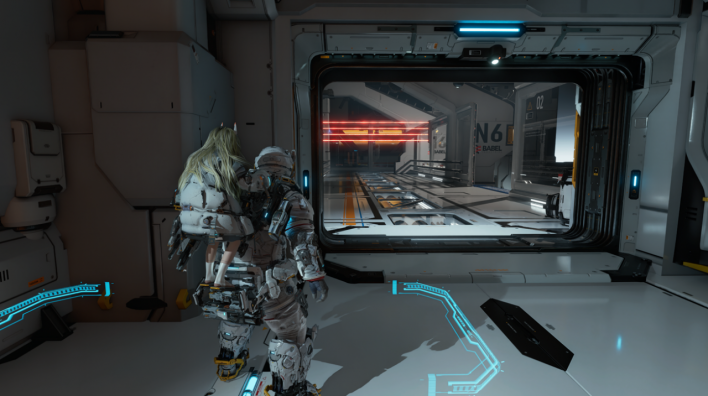
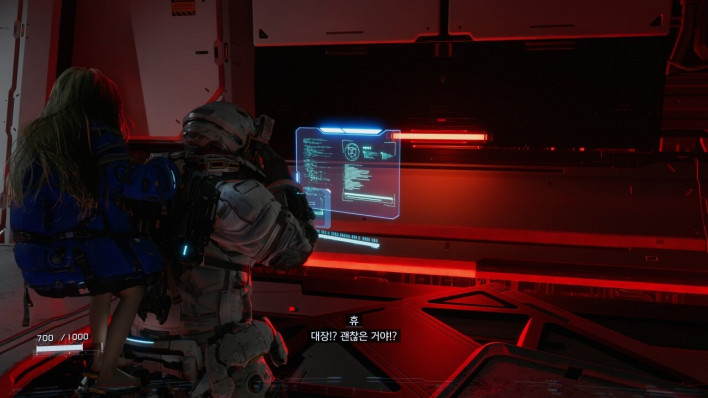
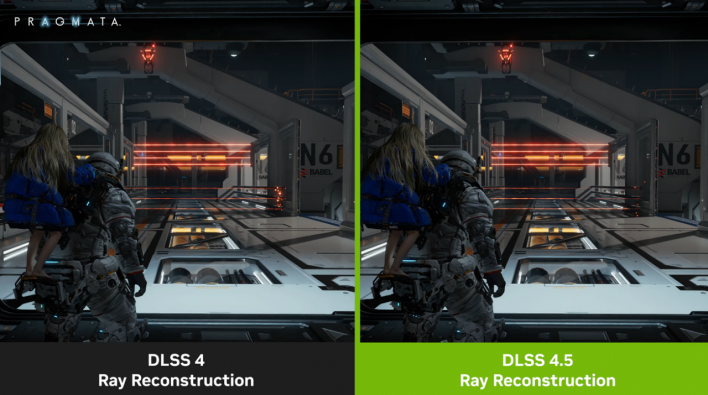
The first game tested was Capcom’s Pragmata. In NVIDIA’s review guide, lasers, holograms, and various visual effects in the solar power plant section were highlighted as key comparison points. In particular, it recommended observing not only when the laser is active, but also the afterimages remaining in the surroundings immediately after the light source vanishes.
Running through the same section repeatedly, it was easy to see why it was chosen as a test area. With Preset F, laser reflections on surrounding objects were rendered more sharply, and artifacts where light from previous frames lingered after the light source disappeared were reduced. Holograms and fast-changing visual effects were also rendered more stably in motion.
There were differences on wall surfaces as well. In ray-traced environments, fine noise on certain surfaces can make the image appear grainy or shimmering (“boiling”), but Preset F suppressed this phenomenon noticeably better than before.
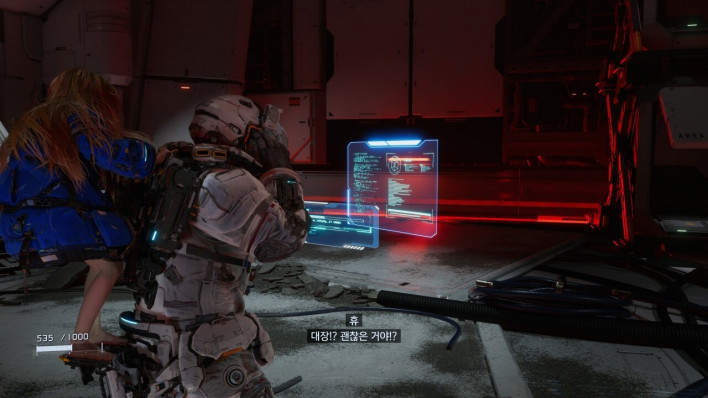
This phenomenon is known as “boiling.” While it might not stand out in a single static screenshot, moving the camera slowly makes it easy to spot. Think of it as small dots or shadows on walls appearing to continuously writhe.
In DLSS 4.5, these minute inter-frame movements were reduced, giving the overall scene a calmer, more composed feel. It clearly demonstrated that the key focus of this update lies not merely in sharpening a single image, but in seamlessly connecting moving frames with stability.
The Difference Is Visible in the Window Glass
Reflections and Dark Detail in Resident Evil Requiem
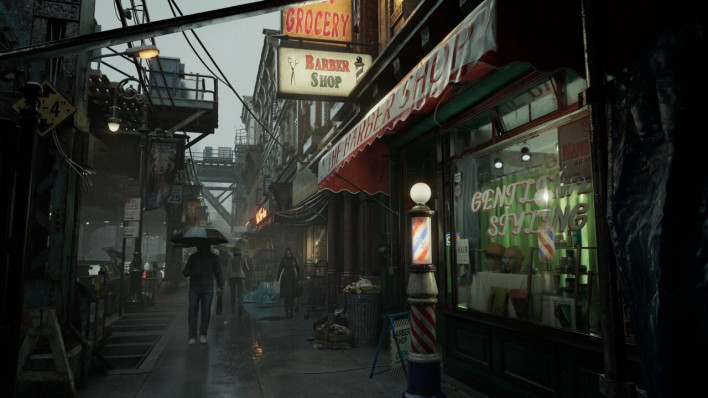
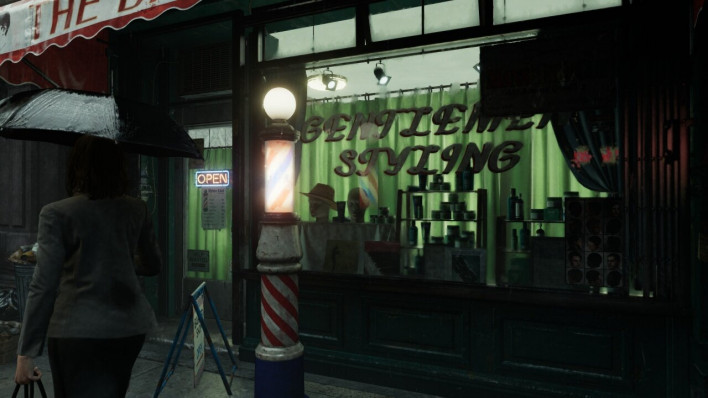
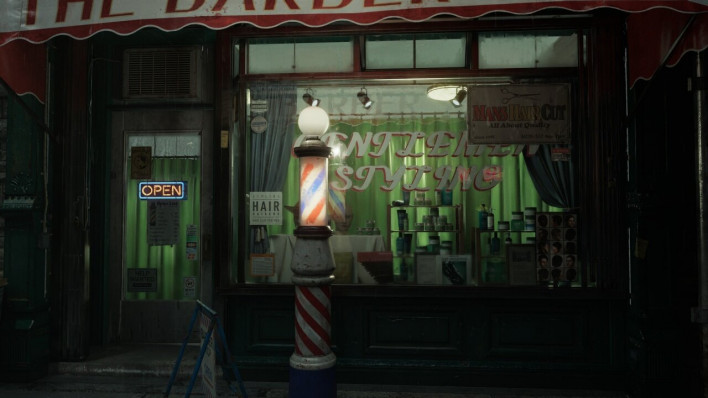
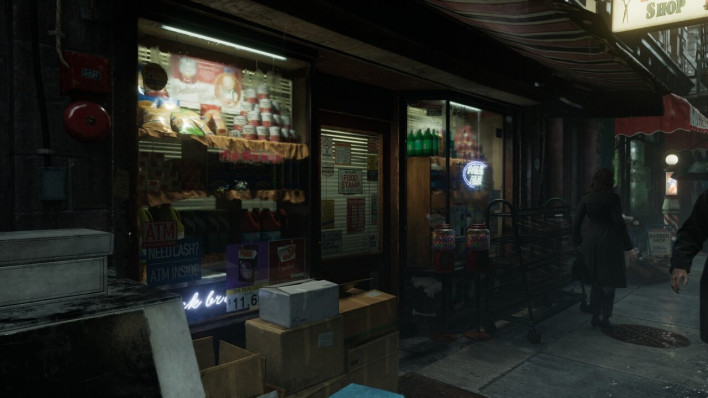
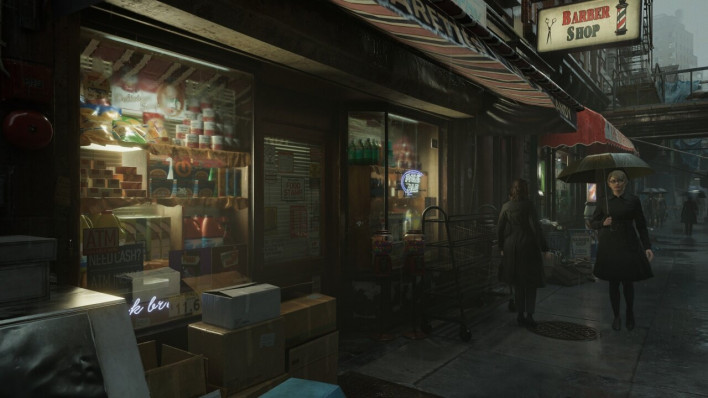
In the second game, Resident Evil Requiem, the changes were even more intuitive. NVIDIA designated store window glass and various reflective objects in the test section as key evaluation points. Applying Preset F improved reflection detail and transparent surface stability while reducing noise on reflective surfaces.
Comparing side by side, the window glass was indeed the first thing that caught the eye. Without Ray Reconstruction, outlines of objects reflected in the glass appeared somewhat blurry or mixed with fine noise. With Preset F enabled, the edges of reflected objects were cleaned up significantly, maintaining a relatively stable form even as the camera moved.
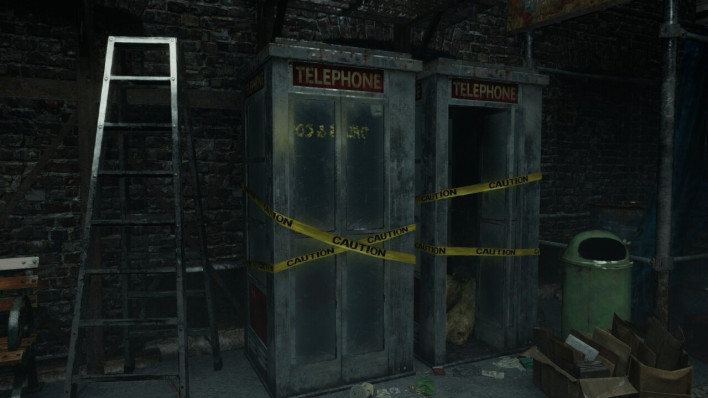
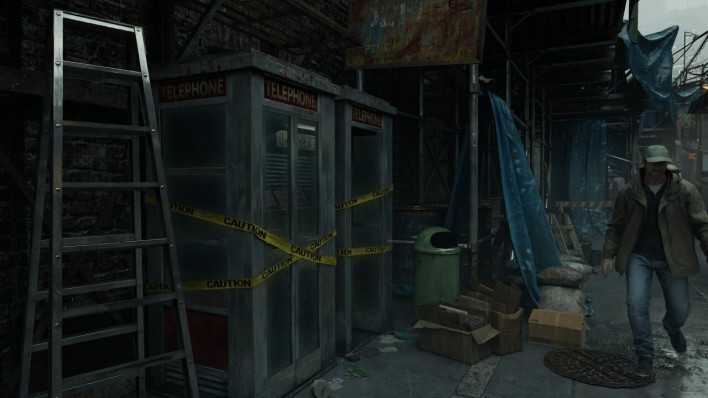
The most noticeable difference personally was the display case inside the shop. With Ray Reconstruction turned off, dark interiors overlapped with shadows, causing objects on the display case to smudge together into a single blob. While you could tell something was placed there, distinguishing individual contours and textures was difficult.
Enabling Preset F changed the impression of that same section dramatically. Rather than artificially brightening the dark scene, it neatly restored object outlines and fine details buried inside the shadows.
It is fundamentally different from simply boosting brightness on a dark photograph. Increasing brightness turns blacks into washed-out grays and alters the intended mood. Ray Reconstruction, on the other hand, preserves the dark atmosphere while recovering readable visual detail within it.
In games like Resident Evil that heavily utilize darkness and limited light sources, these changes fit naturally. The difference was especially easy to spot on objects that rely heavily on ray-tracing effects, such as glass, metal, and wet surfaces.
Sharper Visuals Without the Frame Rate Burden
“Minimal Additional Performance Impact on RTX 40/50”
However, if minor visual improvements required a significant sacrifice in performance, players would naturally hesitate to use it in actual gameplay.
According to NVIDIA, although DLSS 4.5’s second-generation Transformer processes 20% more parameters and increases computational capacity by 35%, it was designed to maintain performance levels similar to the previous Ray Reconstruction model. Additional performance impact is expected to be minimal on the RTX 40/50 series, while the RTX 20/30 series may see slight variations due to architectural differences.
During our testing on a GeForce RTX 4070, both Pragmata and Resident Evil Requiem were run with ray tracing or path tracing enabled per NVIDIA’s guide. Throughout actual gameplay, Ray Reconstruction did not leave the impression of causing any noticeable performance drop. At least in the two games tested, the added overhead was well within reasonable limits relative to the image quality gains.
When discussing DLSS 4.5 Ray Reconstruction, however, one prerequisite must be made clear: this feature is fundamentally designed for ray-tracing and path-tracing environments.
For users whose GPU performance is insufficient, or who turn off ray tracing first to prioritize high frame rates, Ray Reconstruction offers no utility. In setups where ray tracing is disabled to squeeze out every last FPS, the visual improvements introduced by DLSS 4.5 cannot be experienced at all.
Conversely, for users with a sufficiently capable GPU who actively enable ray tracing, the story is quite different. In our testing, we confirmed that reflections, lighting, and shadow details could be rendered with greater stability without sacrificing significant performance.
Not Flashier, But More Stable
DLSS 4.5 Ray Reconstruction
The DLSS branding has long been associated with performance boosts. Prominent examples include AI restoration of images rendered at lower internal resolutions or generating new frames between actual rendered frames to achieve higher FPS. Ray Reconstruction, however, plays a somewhat different role among them.
The improvements in DLSS 4.5 observed firsthand were not about transforming a game’s graphics into a completely different league at a glance or dramatically boosting frame rates. Instead, they focus on resolving the minor visual flaws that bother players when ray tracing is turned on.
In Pragmata, light source afterimages during rapid shifts were reduced, and shimmering wall noise was noticeably stabilized. In Resident Evil Requiem, window reflections became cleaner, and store interior objects that previously smudged into darkness with Ray Reconstruction off became far clearer.
Testing on the RTX 4070, there was little sense that achieving these improvements required any major performance compromise. If ray tracing is already enabled, it is hard to find a reason not to enable Ray Reconstruction alongside it.
Naturally, Ray Reconstruction is not a necessity for every gamer. For players who disable ray tracing for maximum frame rates, it offers little immediate value. Nor does broad GPU support mean that every setup yields the same practical experience.
While DLSS 4.5 Ray Reconstruction is available on GeForce RTX 20/30 series graphics cards, enabling path tracing or high-level ray tracing on those GPUs can impose a heavy performance toll. Since the RTX 20/30 series lacks Frame Generation support, actively using ray tracing for visual enhancements may not be a realistic choice for every user.
The situation changes starting with the RTX 40 series, which supports Frame Generation. In our RTX 4070 testing, enabling Frame Generation alongside ray tracing and Ray Reconstruction delivered fully playable performance. Although the feature itself is open across multiple RTX generations, setups that comfortably leverage the benefits of Ray Reconstruction are far easier to achieve on newer GPUs.
Still, the significance of this update is not limited to a single GPU generation. As more games adopt ray tracing and baseline GPU performance continues to climb, settings that seem demanding to some users today may well become mainstream options in the future.
If DLSS 4.5 Ray Reconstruction currently serves to eliminate minor ray-tracing flaws, its role could expand even further over time. Beyond calculating realistic lighting, how stably that information is presented on the final display is becoming a key benchmark for graphical quality.
Rather than “flashier graphics,” DLSS 4.5 Ray Reconstruction delivers an update focused on “natural and stable visuals.” When ray tracing becomes effortlessly usable across a broader range of GPUs, a far larger portion of gamers will likely appreciate the difference firsthand.
[Read Original]