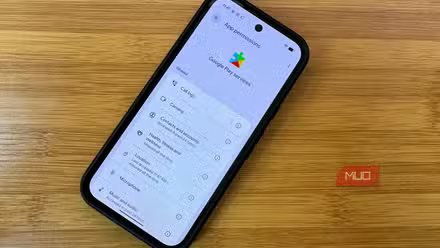
I was going through my Android permissions after reading about how many apps quietly collect data they don’t need. The physical activity page was one I’d never opened before last week. I expected a couple of health trackers and maybe a map app, yet 15 apps and system services had access to my motion data. But what those silent logs reveal about a normal day makes the permission hard to ignore.
What physical activity actually gives away
No GPS needed to map your day

The Physical Activity permission reads your phone’s motion sensors and step counter. Google added it in Android 10, and it has nothing to do with GPS. Instead, it runs continuously, tracking how you move even when your phone is locked and in your pocket.
A typical day on my phone looked like hours of sitting at a desk, a short walk to break it up, and not much else. One day of that seems harmless, but the data keeps stacking. After a week, it maps out commute times, exercise habits, idle hours, what time I stop moving each night. Apps with this permission have been watching that routine build, day after day.
I never noticed any of this because GPS is loud and drains battery fast enough that you notice. Motion tracking never makes that kind of noise. It relies on a low-power sensor chip that barely shows up in battery stats, and my phone never gave any sign it was logging anything.
When I finally opened that list on my Galaxy S25U, I could see which apps had accessed my motion that day. Google Play Services showed up as a permanent entry, which makes sense since Android relies on it for features like Smart Lock and driving detection. The rest didn’t have an obvious reason to be there.
Apps with no business reading my motion
Some had reasons, most didn’t

Amazon had access to my motion data despite having no use for it. So did Truecaller, Samsung Wallet, and Bixby. At least Google Fit, Samsung Health, and Maps earned their spot, since workouts and navigation actually need it.
Air Command, though, used to have one. It’s Samsung’s S Pen shortcut menu, and it once supported Air Actions, motion-based gestures that let you control your phone by waving it. Samsung removed that feature with the S25 Ultra, but somehow the permission stuck around. The app still has access to a feature that no longer exists on my phone.
But those were just the apps I could see. Turns out, Android hides system-level entries from this menu by default, and more names appeared once I got past that filter. Customization Service had been active in the past 24 hours, tracking how I use Samsung’s apps to personalize recommendations. Google Location History had its own reason, feeding activity data into Maps Timeline to distinguish walking from driving. For Google Wi-Fi Provisioner, I couldn’t find any reason it would need motion data.
I don’t remember agreeing to any of this, and for most of these apps, I never did. Before Android 10, motion sensors didn’t have their own permission. Apps built around those earlier rules inherited access automatically, with no pop-up, no prompt, and no record that it ever happened.
Cutting activity access broke zero apps
Apps kept running after losing motion access
Cleaning up that list took under two minutes, though you have to know where Android buries the toggle. Open Settings, head into Security and privacy, tap Permission manager, and select Physical activity. Before making any changes, tap the three-dot menu in the upper right corner and choose Show system, so background services appear alongside your other apps.
Unlike Location, which lets you pick between precise and approximate access, physical activity only gives you Allow or Don’t allow. That all-or-nothing design makes it tempting to leave everything turned on. I revoked access for every app I couldn’t justify keeping and left Google Fit, Samsung Health, and Maps untouched.
Days later, every restricted app still worked normally. Truecaller flagged incoming spam, Amazon loaded orders, and Samsung Wallet opened my saved cards at checkout. Not a single app threw an error or asked me to re-enable the permission. Cutting off access only stopped background data collection, not anything I’d actually notice.
Just keep in mind that transferring data to a new phone or installing a major system update can reset permissions to their defaults, making it worth rechecking every few months.
Permission creep doesn’t fix itself
This was one permission page on one phone, but Android has plenty more for Location, Camera, Microphone, Contacts, and others I haven’t checked yet. If that many apps had access to my motion data on a phone, I thought I’d already locked down, the other pages probably look just as cluttered. Android never prompts you to revisit permissions for apps you still use. Once an app gets access, it keeps it until you go looking for it.