Google’s proclivity to kill well-loved apps and functionality is well known. However, I don’t think I’ll ever understand why the company killed the Android Auto-style phone screen experience years ago.
While Android Auto works very well for infotainment systems, this feature served those of us without built-in screens in our cars exceptionally well.
Now, you might say that I can use Google Maps on my phone, and that’s fair enough.
However, there are plenty of occasions where a bespoke in-car experience makes sense.
It gives me one-tap access to the map and lets me juggle calls, streaming, and more without switching applications. None of that would be possible without a purpose-built interface.
However, where there’s a will, there’s a way, and a new open source app called PhoneAuto is bringing that functionality back.
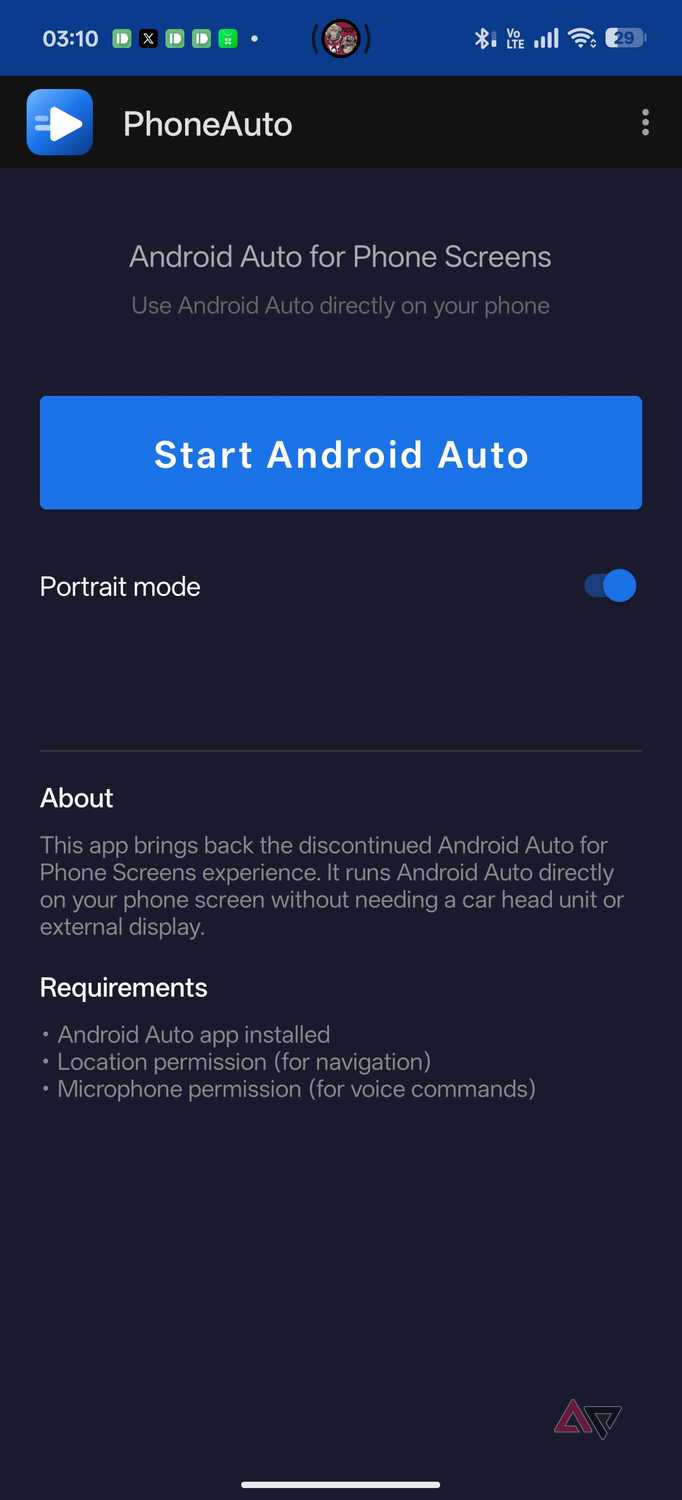
This free app lets you run the actual Android Auto interface on your Android phone, giving you access to all in-car features without needing a car with an infotainment system.
Run the actual Android Auto interface on your phone
Portrait mode and Gemini support make it even more useful

I used to be a big fan of the Android Auto-lite interface that Google removed when it decided to kill Driving Mode in Assistant.
It was a convenient way to get a simplified driving interface without needing a full-fledged infotainment system. More importantly, it killed the system without offering an alternative, which means that if you have a car without an infotainment system, you’re completely out of luck.
PhoneAuto solves that problem by using an existing Android Auto feature built into your phone. The app uses Android Auto’s built-in head server functionality, letting the phone act as a head unit and displaying the interface locally on the phone’s screen.
So, effectively, it hijacks the head server’s projection and displays it on the phone screen.
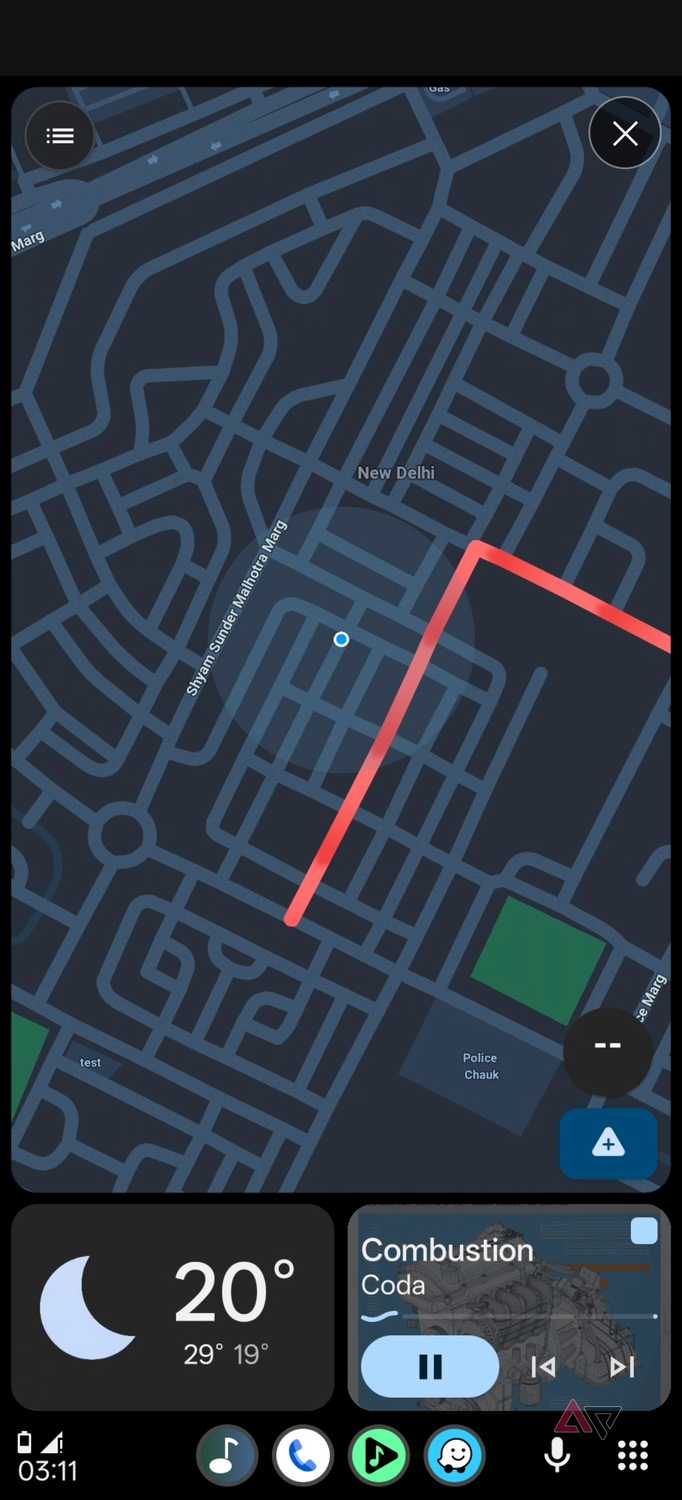
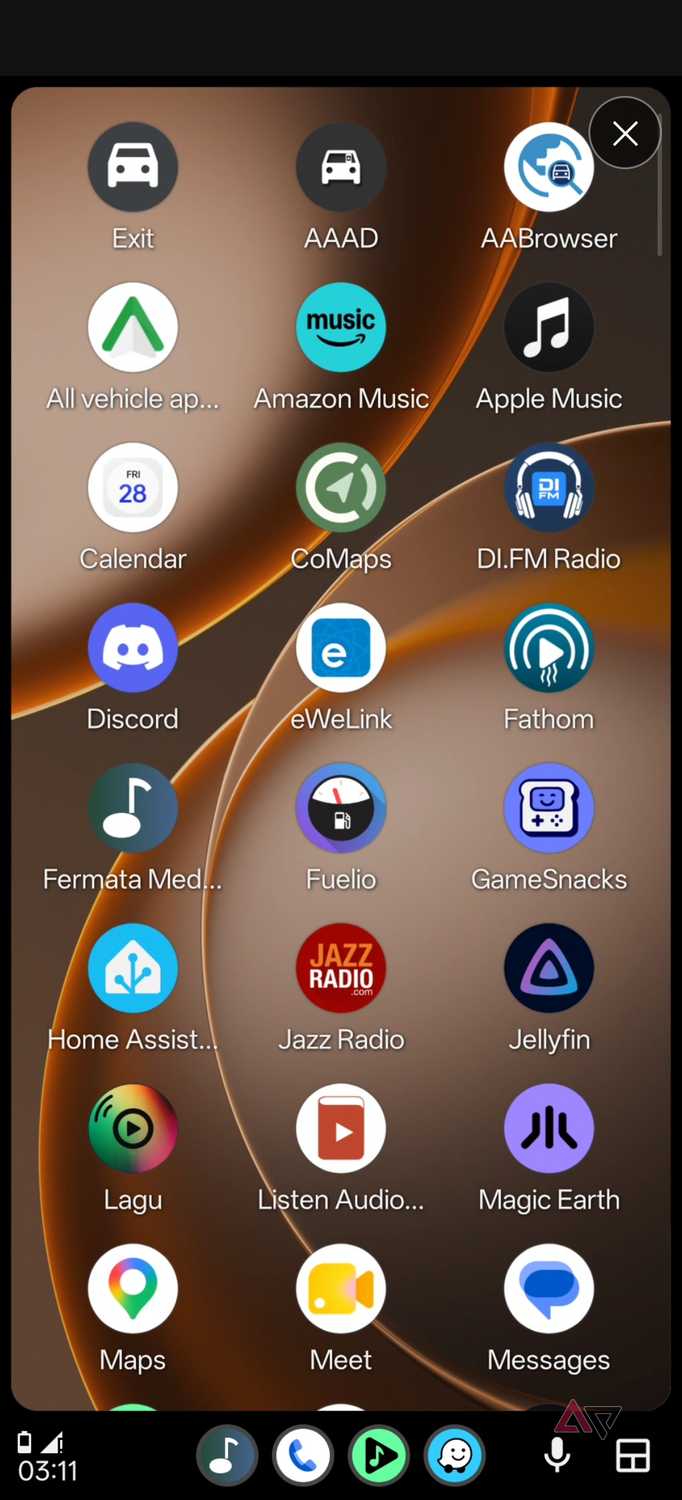
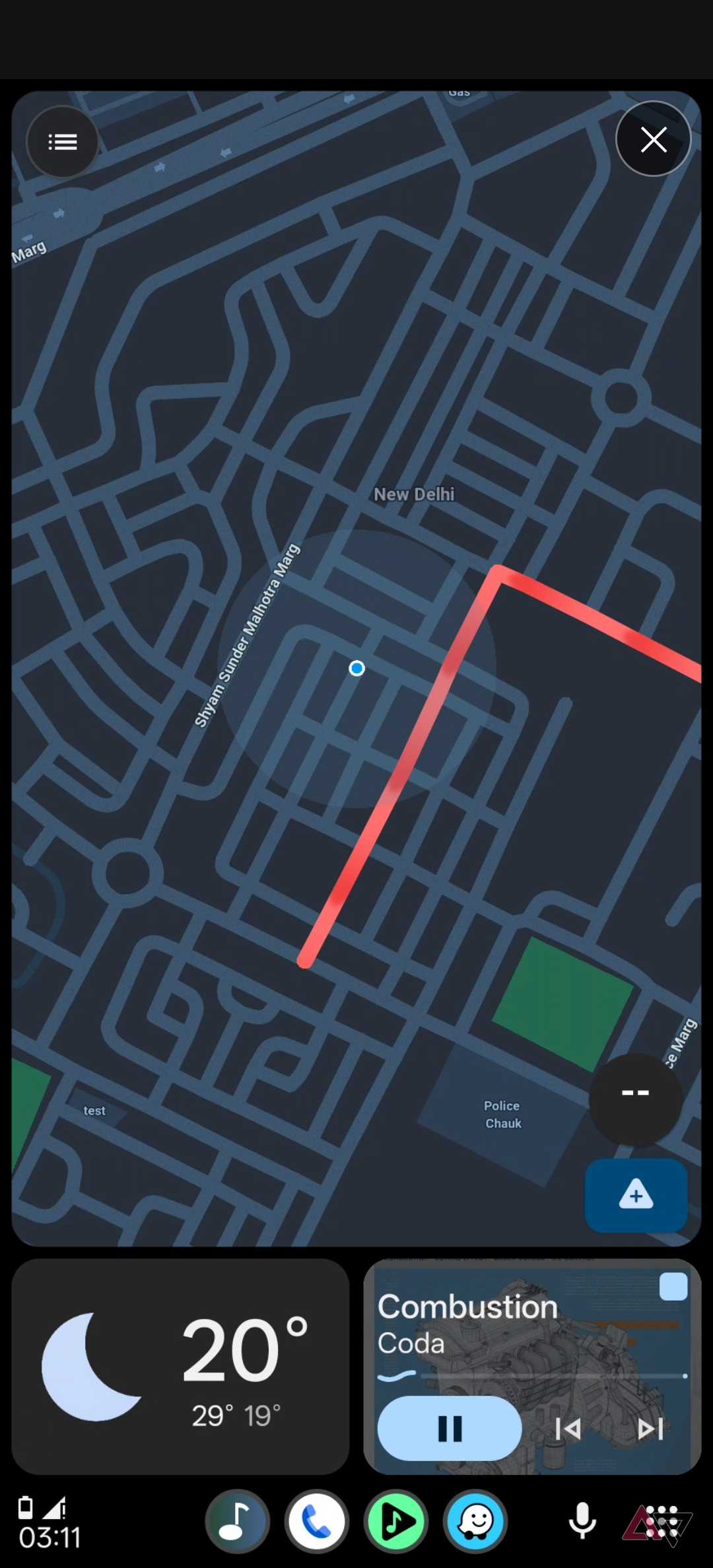
The result is the actual Android Auto interface running on your phone instead of an app that tries to replicate the experience. This approach has some obvious benefits.
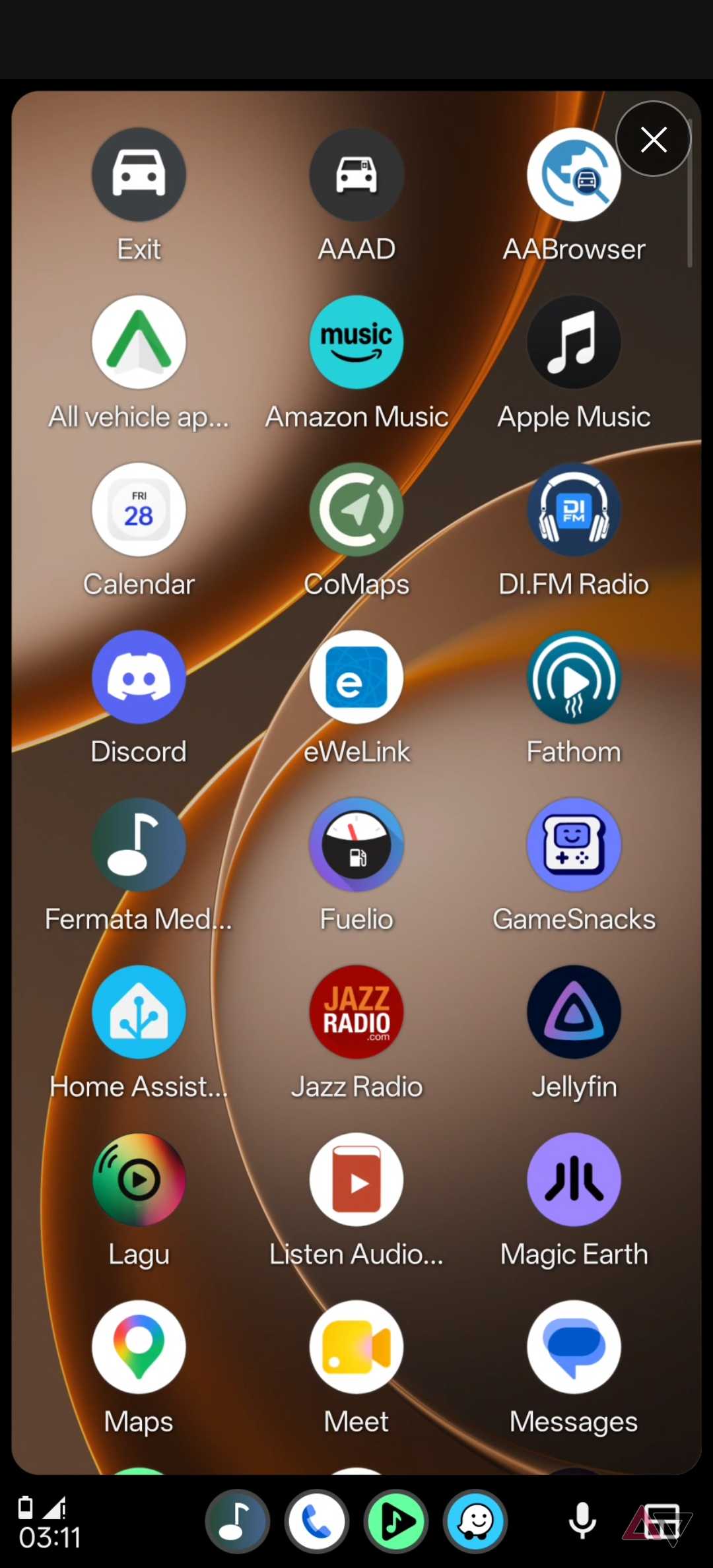
You get access to Google Maps, Waze, your choice of streaming apps, phone controls, and more. Moreover, these apps follow the same interface guidelines as Android Auto, which makes them a perfect fit for the touch-and-go experience you need while driving.
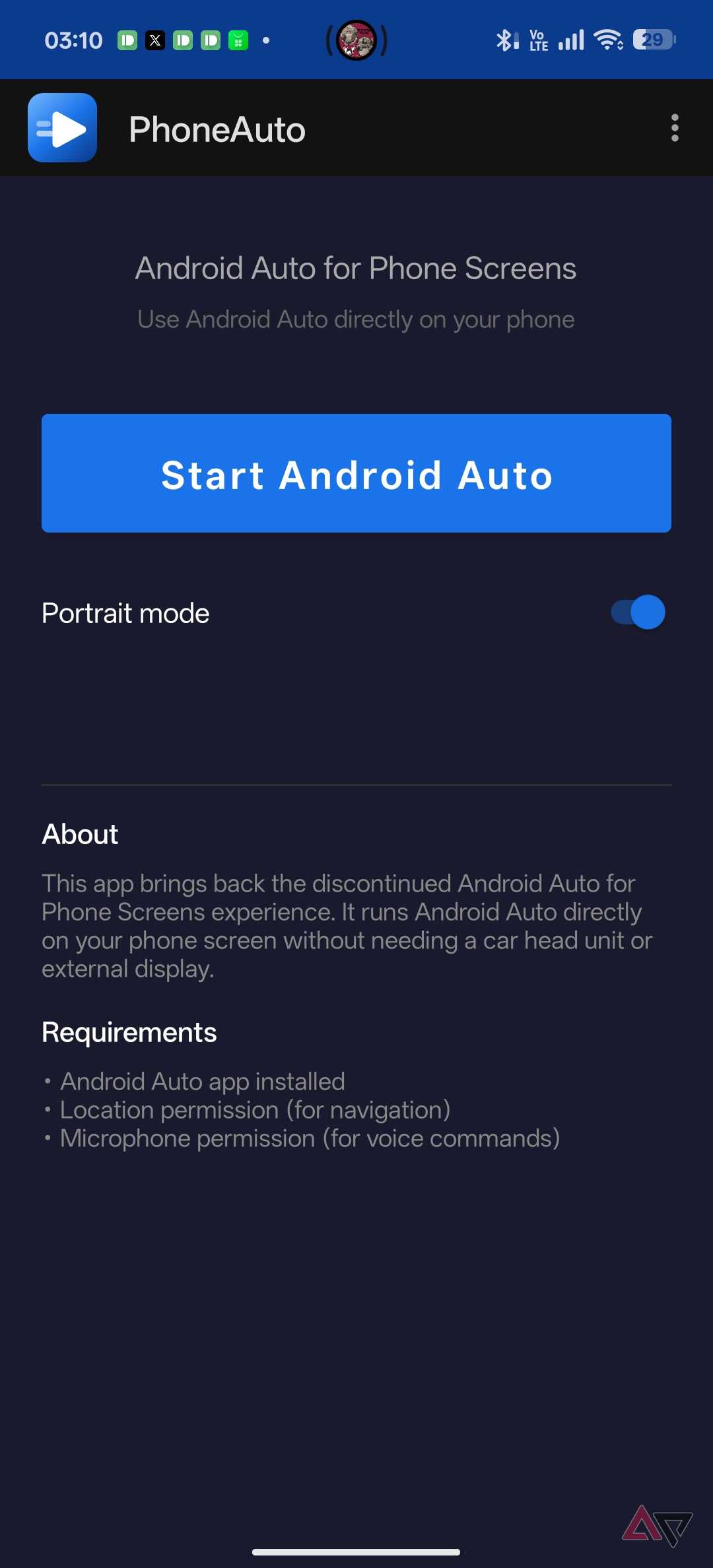
Unlike Android Auto, PhoneAuto adds a tweak or two that further elevates the experience. The bigger one is the ability to enable vertical Android Auto mode. Tap a toggle, and the phone pulls up Android Auto in a vertical orientation, making it a solid choice if you tend to put your phone in an AC mount or similar.
Elsewhere, since PhoneAuto runs Android Auto, it’ll keep the screen on while you use the app, unlike alternatives that dim the display after a set period.
Plus, you can use Gemini voice commands through the microphone. For all intents and purposes, you’re getting a full-blown Android Auto experience right there on your phone.
Setting up PhoneAuto takes a few steps
You can use it in your car or on your desk
-
Credit: -
Credit: -
Credit: -
Credit: -
Credit:


-
Credit: -
Credit: -
Credit: -
Credit: -
Credit:
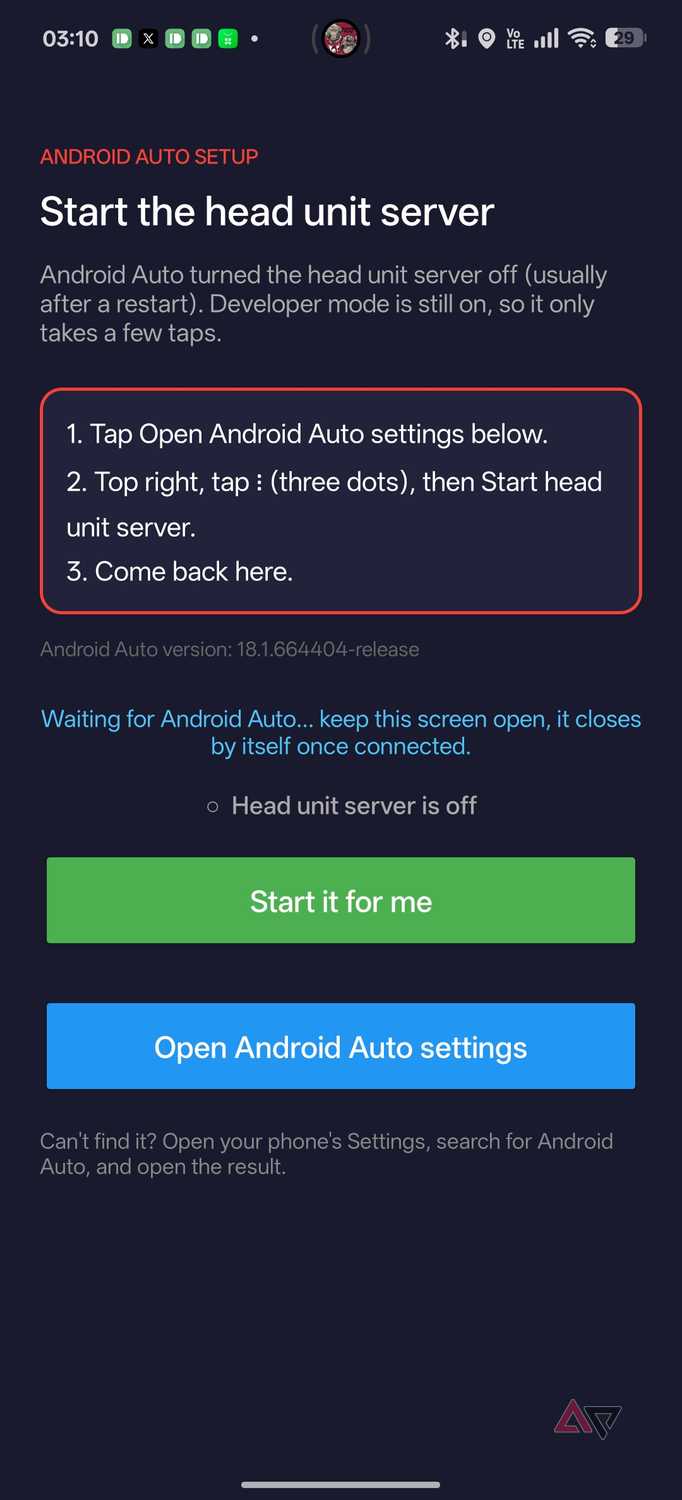
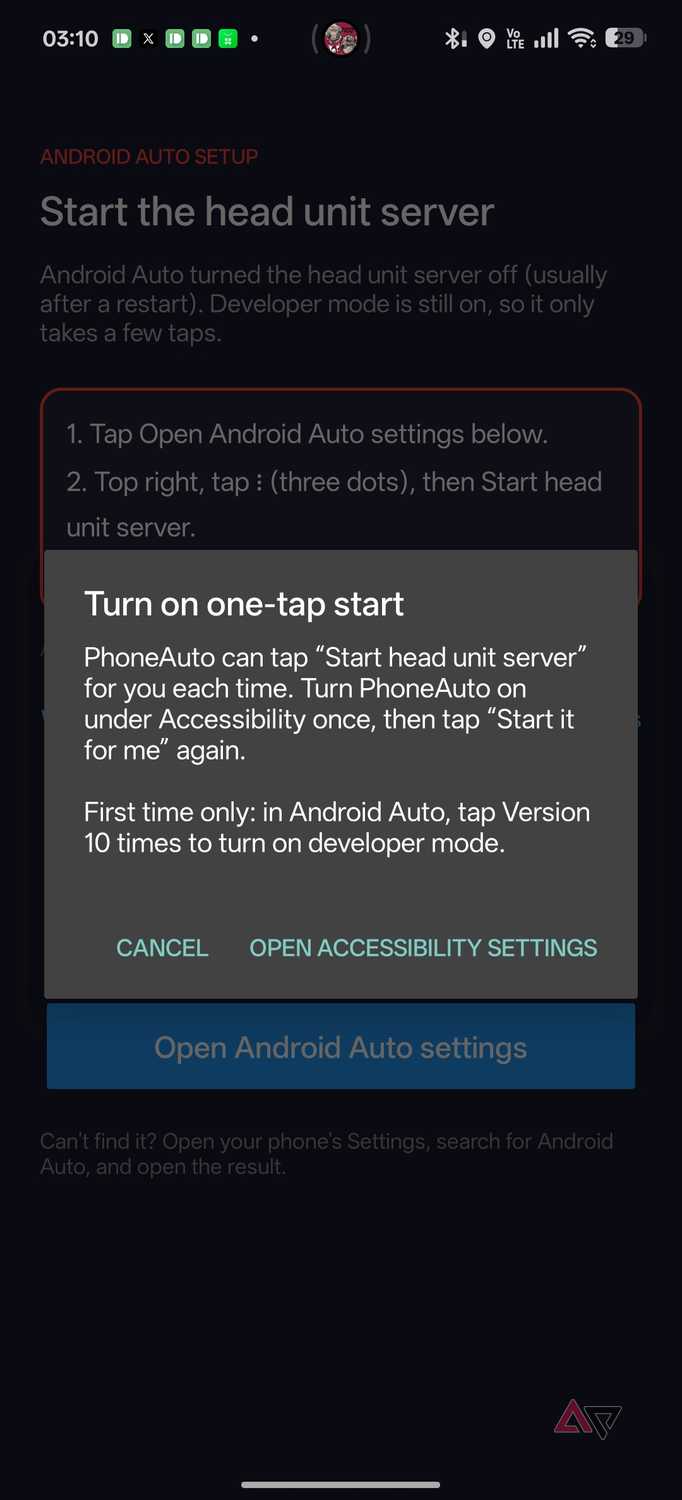
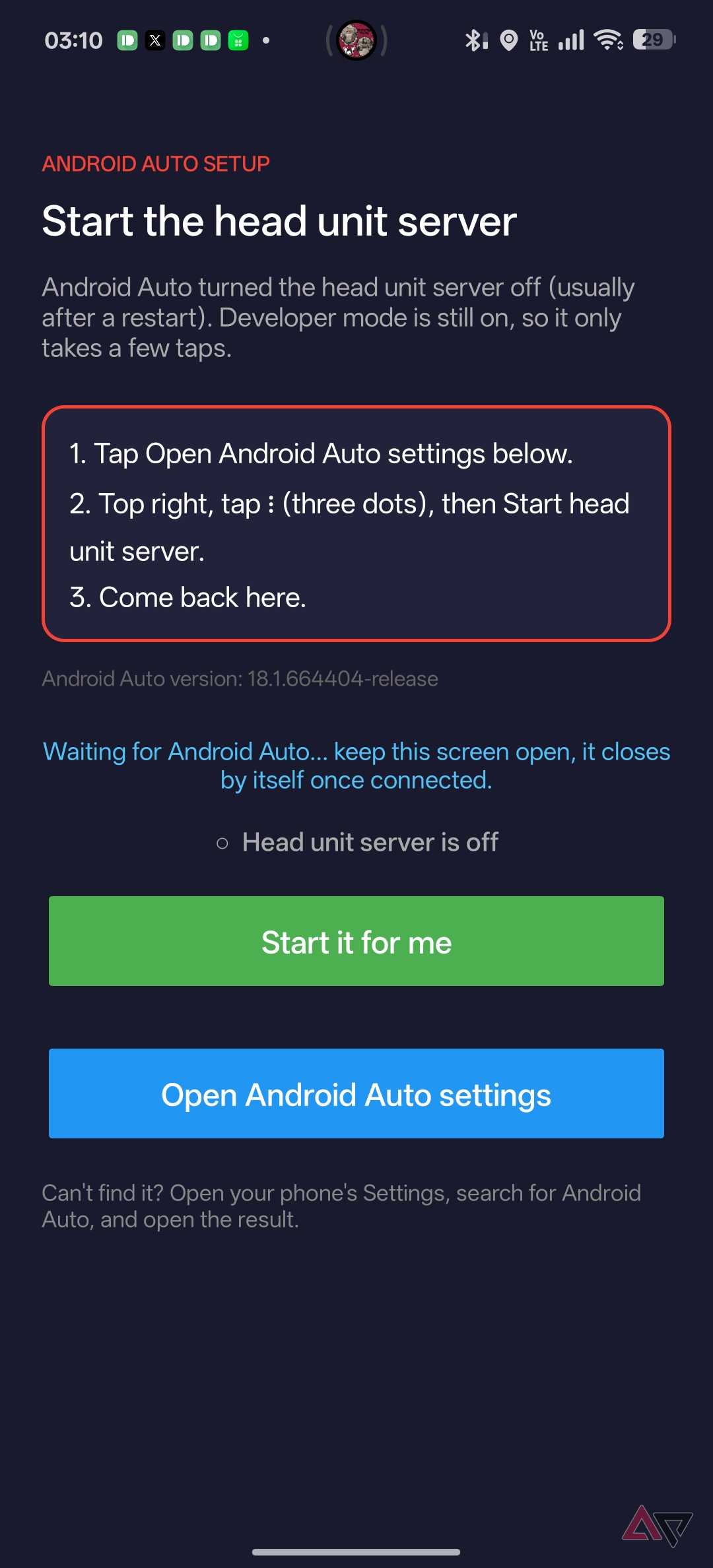
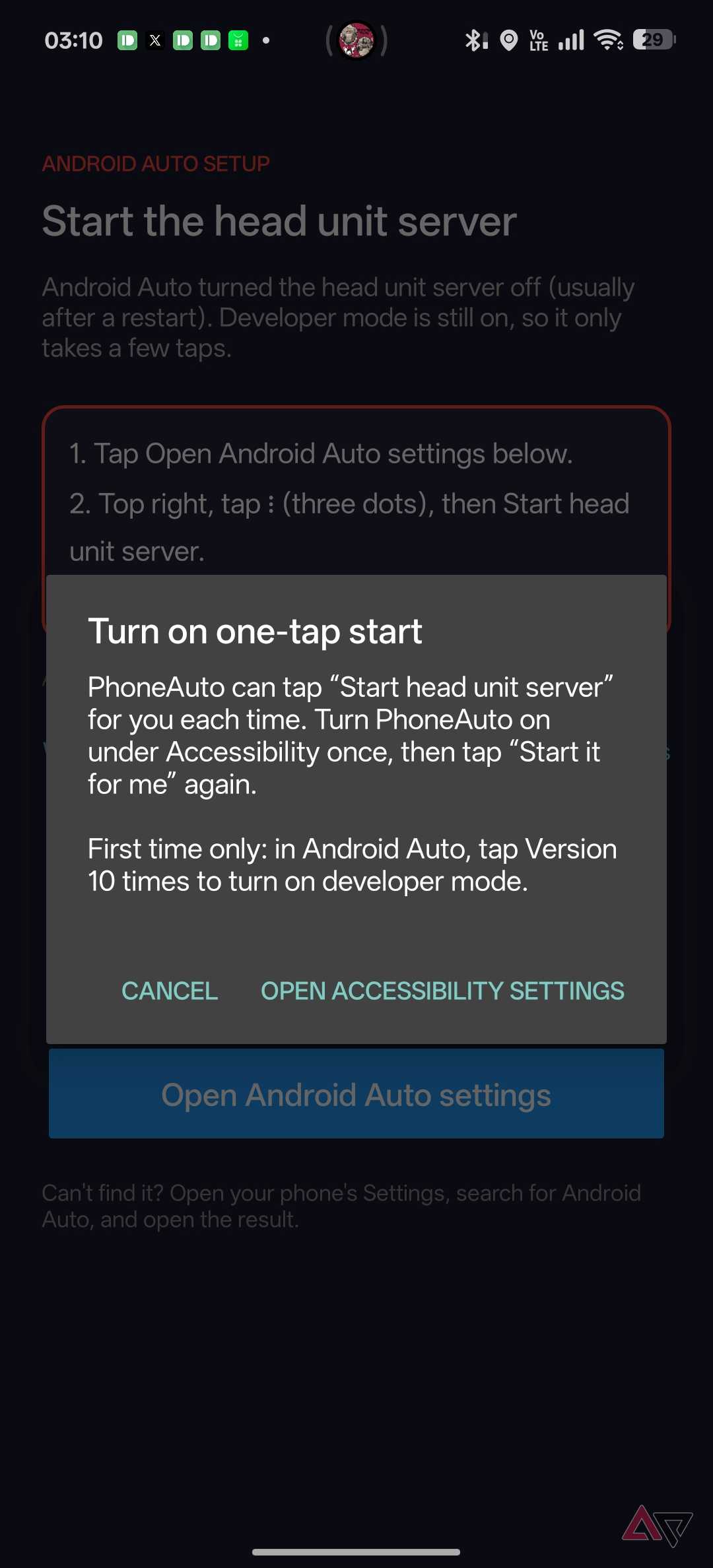
Before you get too excited, keep in mind there’s a setup process that is easy, but not quite plug-and-play.
First, the app isn’t on the Play Store. Instead, you’ll have to download the APK from GitHub and install it on your phone. Next, go to your phone’s settings and find the Android Auto setting. From there, scroll down to Version and keep tapping until you unlock Developer Mode.
Now, tap the overflow menu in the upper-right corner. From there, tap Start Head Server. That’s it. Switch back to PhoneAuto, tap Start Android Auto, and you’re good to go.
The app expects the Head Server to be on, so I recommend leaving it on. It doesn’t drain the battery. That’s how I use it.
I’ve only had the app for a few days, but I’ve used it every time I’ve been in my car. I also use it on my desk as a dashboard of sorts. I can pull up music and my favorite podcasts in a dashboard-style setup with limited distractions.
As for downsides, I haven’t run into any. For an app still in early development, performance is surprisingly good. I rarely observed any forced shutdowns or app incompatibility. But your mileage may vary, as it does with betas.
PhoneAuto brings back my favorite Android feature
This is a fairly niche app. If you have a modern car, you probably have Android Auto built in. For others, the lack of a visual interface isn’t a big issue.
But if you’ve been thinking up ways to use Android Auto on your phone’s display, this app is one of the best I’ve come across. Yes, even better than the popular Fermata Auto.
It solves a problem that Google should never have created and has become a key addition to my on-the-go usage stack.
Download PhoneAuto: This open source app lets you display Android Auto on your smartphone’s screen.