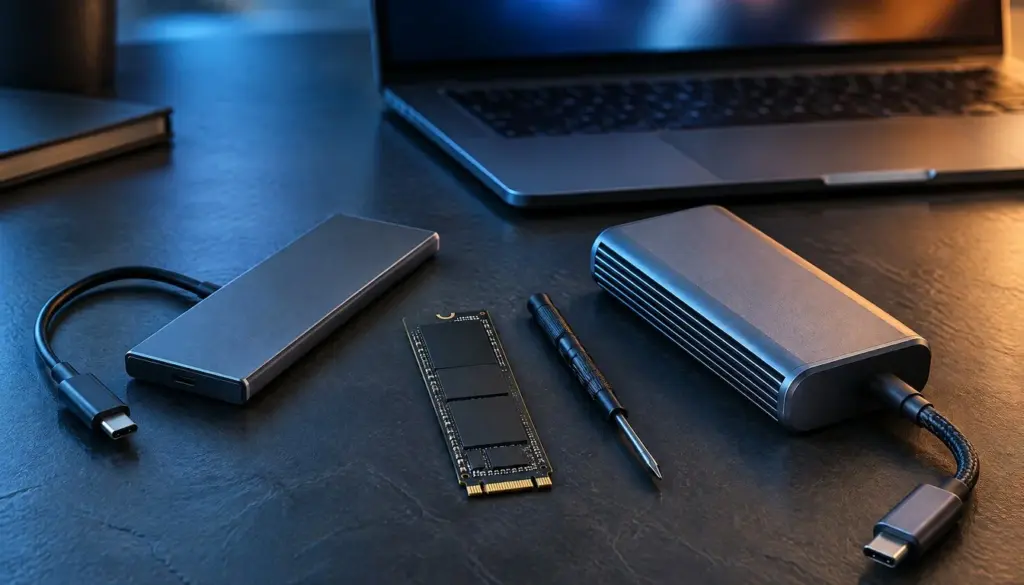
The best external SSD for gaming in 2026 is the one that matches the USB port you already own, not the one with the biggest number on the box. Samsung’s Portable SSD T9 and its rivals advertise up to 2,000 MB/s over USB 3.2 Gen 2×2, yet a 10Gbps port caps the same drive near 1,050 MB/s, and a PS5 never lets you play its native games from USB storage at all.
That gap decides who should pay extra and who should not. This comparison covers the four portable NVMe drives that keep showing up in current buying guides (Samsung T9, Crucial X10 Pro, SanDisk Extreme PRO Portable SSD V2 and Kingston XS2000), then maps them onto PC, Steam Deck, PS5, Xbox Series X|S and Switch 2. Prices move weekly right now, so we treat every dollar figure as a dated snapshot and say where the data is thin.
If you only want the short version, skip to the verdict. If you want the reasoning, start with our head-to-head of the T9, SanDisk and Crucial drives for the creator angle, then come back here for the gaming-specific rules.
Don’t miss new tech stories on Google
Add Tech Insider once in the Google app and our stories appear in your news suggestions.
Add Now
Which Drives Made the Shortlist and Why
We limited the field to portable NVMe drives that sit in the same 2,000 MB/s class and that appear in October and November 2026 buying guides. That gives four names: the Samsung Portable SSD T9, the Crucial X10 Pro, the SanDisk Extreme PRO Portable SSD V2 and the Kingston XS2000. All four use USB 3.2 Gen 2×2, a 20Gbps link, and all four fit in a jacket pocket.
We left out faster USB4 and Thunderbolt drives on purpose. They matter for video editors, and we cover them in our look at Thunderbolt 5, USB4 and USB 3.2 portable SSDs. For gaming, the host side rarely lets them stretch. A PS5 limits external storage to 10Gbps USB performance, and most handhelds and mainstream laptops stop at the same ceiling.
We also checked each drive’s status against the makers’ own pages as of November 9, 2026. Samsung still lists 1TB, 2TB and 4TB versions of the T9 across its US catalog, and we found no confirmed successor. We also found no sign that Kingston has retired or replaced the XS2000, though we could not confirm its current listing details. SanDisk’s product page for the Extreme PRO Portable SSD V2 is still live, though one third-party roundup claims a refreshed Extreme line arrived in February 2026, and we could not confirm that claim from SanDisk. Treat it as unverified.
The Crucial X10 Pro needs a caution. Crucial’s support page still lists the drive, and its product pages for the 1TB and 2TB models are live. Yet Micron, Crucial’s parent, has exited the Crucial consumer business, and our research could not confirm that new X10 Pro units still ship from the maker. Any stock you find today is likely leftover retail inventory. We keep the drive in the comparison because it is still on shelves and still discussed, but we rank it lower for that reason. Our piece on portable NVMe SSD alternatives after the Crucial exit goes deeper on replacements.
How we handled data we could not verify
We ran no lab tests for this article. Every speed in it is either a maker rating or a figure from a named guide. Where two sources disagree, we use the lower number. Where only one source supports a price, we say so in the sentence. That choice costs us some neat charts, but it keeps you from buying on a number that nobody can trace.
Specs Table: Samsung T9, Crucial X10 Pro, SanDisk Extreme PRO V2 and Kingston XS2000
The table below lines up the advertised specs from the makers’ own pages and the roundups we cross-checked. Where a cell says “not confirmed,” the research we ran on November 9, 2026 did not show a trustworthy figure, so we left it blank rather than guess. Note that these are rated values, and your results will vary with the host port, cable and how full the drive is.
| Spec | Samsung T9 | Crucial X10 Pro | SanDisk Extreme PRO V2 | Kingston XS2000 |
|---|---|---|---|---|
| Interface | USB 3.2 Gen 2×2 | USB 3.2 Gen 2×2 | USB 3.2 Gen 2×2 | USB 3.2 Gen 2×2 |
| Link speed | 20Gbps | 20Gbps | 20Gbps | 20Gbps |
| Rated sequential read | Up to 2,000 MB/s | Up to 2,100 MB/s | Up to 2,000 MB/s | Up to 2,000 MB/s |
| Rated sequential write | Up to 2,000 MB/s | Up to 2,000 MB/s | Up to 2,000 MB/s | Up to 2,000 MB/s |
| Fallback speed on a 10Gbps port | About 1,000 to 1,050 MB/s | About 1,000 to 1,050 MB/s | About 1,000 to 1,050 MB/s | About 1,000 to 1,050 MB/s |
| Storage type | NVMe | NVMe | NVMe | NVMe |
| Capacities on maker pages | 1TB, 2TB, 4TB | 1TB, 2TB (4TB reported) | Several, check page | 500GB, 1TB, 2TB, 4TB |
| Drop rating | Up to 9.8 ft (3 m) | Up to 7.5 ft (2 m) | Not confirmed | Not confirmed |
| Dust and water rating | Not confirmed | IP55 | Not confirmed | Not confirmed |
| Warranty | Five years | Not confirmed | Five years | Not confirmed |
| Desktop encryption support | Hardware encryption listed by Samsung | Works with BitLocker To Go and FileVault | Not confirmed | Not confirmed |
| Maker status, Nov. 9, 2026 | Active, no successor confirmed | Maker exited consumer line, stock may be leftover | Active, refresh claim unverified | Active, no successor confirmed |
Three things jump out. First, the four drives are near-identical on paper, which is why price and availability decide most purchases. Second, only Samsung and Crucial publish a drop rating we could confirm, so rugged claims for the other two deserve a look at the box before you buy. Third, the fallback row is the one that matters for consoles and handhelds. Every drive here collapses to about the same 1,000 to 1,050 MB/s on a 10Gbps port.
Samsung’s catalog also lists the T9 with Dynamic Thermal Guard and Samsung Magician support for firmware updates, according to its current product information. Samsung’s own page puts the durability line this way: “Rugged durability enduring up to 9.8 ft drop.” Crucial’s page lists its X10 Pro as drop resistant up to 7.5 feet (2 meters) with IP55 water and dust resistance.
Your Host Port Sets the Speed Ceiling
Buyers lose the most money here. A drive rated for 2,000 MB/s only reaches that figure when the computer offers a USB 3.2 Gen 2×2 port (20Gbps) on a USB-C connector. Crucial’s own footnote says the same thing: best speeds need the included USB-C to USB-C cable on a supported device, and Gen 2×2 full performance only arrives on USB-C host devices. Plug the same drive into a plain 10Gbps port and you get roughly the speed of a cheaper 10Gbps drive.
| Where you plug in | Link | What to expect from a 2,000 MB/s drive | Worth paying for Gen 2×2? |
|---|---|---|---|
| PC with a Gen 2×2 USB-C port | 20Gbps | Close to the rated 2,000 MB/s | Yes |
| PC or laptop with a standard 10Gbps port | 10Gbps | About 1,000 to 1,050 MB/s | No |
| PS5 and PS5 Pro | 10Gbps cap | Limited to the console’s 10Gbps USB performance | No |
| Steam Deck LCD and OLED | Limited by the Deck’s USB connection | Below the rated speed | No |
| Front-panel 5Gbps port on a desktop case | 5Gbps | Well below the 10Gbps result | No |
| Any port with a USB 2.0 cable | USB 2.0 | Roughly 40 MB/s | No, fix the cable first |
The 40 MB/s figure comes from PC Gaming Universe, which warns that many USB-C charging cables run at USB 2.0 speed. Its list of common external SSD buying mistakes (updated October 2026) also advises you to identify your fastest port first, because that sets your speed ceiling before any drive choice. We agree with that order. Check the spec page of your laptop or motherboard for USB 3.2 Gen 2, Gen 2×2, USB4 or Thunderbolt before you open a shopping tab.
The cable and the 10 percent rule
The same guide names the usual causes of a slow drive: a USB 2.0 cable, a 5Gbps front-panel port, an unpowered hub or a nearly full drive. Its fix is to swap to the original cable, use a rear or direct port, and keep at least 10 percent of the drive free. That last tip matters for game libraries, because modern installs are big. The guide notes that two or three AAA installs can fill 500GB, so a 1TB drive fills faster than most people expect.
One practical conclusion follows. If your hardware tops out at 10Gbps, buy a 10Gbps-class drive and spend the saved money on capacity. A 2TB drive at 1,050 MB/s will serve a game library better than a 1TB drive at 2,000 MB/s you cannot use.
Rated Speeds Versus Real Speeds: What Several Sources Say
We found no independent lab run in the sources we could verify that tests all four drives under identical conditions, so we compare what several kinds of sources agree on. Maker pages give the rated ceiling. Buying guides from October and November 2026 describe the practical limits. Where they overlap, the claim is solid.
| Source | What it supports | Date |
|---|---|---|
| Samsung US product pages | T9 rated up to 2,000 MB/s read and write over USB 3.2 Gen 2×2, 1TB, 2TB and 4TB versions | Pages updated Nov. 2026 |
| Crucial product pages | X10 Pro rated up to 2,100 MB/s read and 2,000 MB/s write, best speeds only on Gen 2×2 USB-C hosts | 2026 listings |
| PC Gaming Universe | 10Gbps drives reach about 1,050 MB/s, Gen 2×2 drives fall back to about 1,000 MB/s on other hosts, USB 2.0 cables drop to roughly 40 MB/s | Oct. 17, 2026 |
| Tech Gaming Hubs | Compatibility across PC, Steam Deck, PS5, Xbox and Switch 2 | Oct. 23, 2026 |
| Drop Reference | Roundup covering T9, T7 Shield and X10 Pro for PC, PS5, Xbox and handheld PCs | Oct. 30, 2026 |
The agreement is useful. Independent outlets and two maker pages all land on the same story: roughly 2,000 MB/s with the right port, roughly 1,000 MB/s without it. The Tech Gaming Hubs roundup of external SSDs for gaming frames the same trade-off across PC, console and handheld use.
PC Gaming Universe adds one warning that spec sheets skip. A drive may copy at full speed for the first tens of gigabytes, then drop sharply once its fast cache fills. That matters when you copy a 150GB game folder or record long gameplay clips. Most players never hit it during play, since games read far more than they write, but a first-time library transfer is exactly the moment it bites.
A five-minute test you can run yourself
Do not trust any number in this article, including ours, until you test your own port and cable. The commands below take about five minutes. Replace the path with your drive’s mount point and watch whether the sustained write speed collapses on the larger file.
# Linux or Steam Deck desktop mode: sequential write, 20 GB file, 1 MiB blocks
fio --name=seqwrite --filename=/run/media/deck/GAMES/fio.test \
    --rw=write --bs=1M --size=20G --direct=1 --ioengine=libaio --iodepth=8

# Sequential read of the same file
fio --name=seqread --filename=/run/media/deck/GAMES/fio.test \
    --rw=read --bs=1M --size=20G --direct=1 --ioengine=libaio --iodepth=8

# Windows PowerShell: quick sequential check on drive E:
winsat disk -drive e
If the read result lands near 1,000 MB/s on a drive rated for 2,000, check the port first, then the cable, then the hub. Those three explain almost every complaint about slow portable SSDs.
Pricing in November 2026: Why the Numbers Disagree
Portable SSD pricing is unusually messy this month, and the spread across sources is the main finding. Samsung’s US catalog lists the 2TB T9 from $489.99. Samsung’s 1TB product page has shown $287.99. One roundup updated on November 7 reportedly quoted street prices of about $140 for 1TB and $440 for 4TB. Those figures describe different drives, dates and retailers, so you cannot line them up into a clean price-per-terabyte chart.
| Drive and capacity | Price signal found | Source type | Per terabyte |
|---|---|---|---|
| Samsung T9 2TB | From $489.99 | Samsung US catalog, Nov. 8, 2026 | About $245 |
| Samsung T9 1TB | No current US price confirmed on the pages we read | Samsung US product page showed $287.99 | Check at checkout |
| Crucial X10 Pro 1TB | No official price, retail listings vary | Third-party listings only | Check at checkout |
| SanDisk Extreme PRO V2 | No official price confirmed | Maker page lists the product, price not captured | Check at checkout |
| Kingston XS2000 | No official price confirmed | Kingston lists the product, no price captured | Check at checkout |
Regional pricing makes the picture wilder. Samsung’s regional stores still list the 1TB, 2TB and 4TB T9, but prices differ by country and change with promotions. We could not confirm any single regional price well enough to quote it, so read regional listings as direction, not as a quote you can order against.
Why flash storage costs more right now
Sandisk’s latest quarterly report, for fiscal first quarter 2027, showed revenue of $11.0 billion, up 23 percent from the prior quarter, with GAAP net income of $8.1 billion. It guided second-quarter revenue to a range of $12.2 billion to $12.6 billion. A flash supplier posting numbers like that has little reason to discount. We read the price volatility as a supply story, and that is our analysis, not a claim from Sandisk.
The buying rule that follows is simple. Pick the drive by the port and platform first, then compare three retailers on the day you buy, and ignore “was” prices. If a 2TB drive costs only a little more than a 1TB drive from the same maker, take the 2TB. Our earlier look at what a $170 portable SSD does against a $340 one shows how little the extra spend buys once the link speed is capped.
Which Platforms Run Games From an External SSD
This is the section most buying guides blur. An external SSD can mean three different things depending on the machine: a drive you play from, a drive you store on, or a drive that does not work for games at all. The table separates them.
| Platform | Play current games from USB SSD? | Store games on it? | Notes |
|---|---|---|---|
| Windows PC | Yes | Yes | Works with Steam and most launchers if the port supports the drive’s speed |
| Steam Deck LCD and OLED | Yes | Yes | Benefit is limited by the Deck’s USB connection, microSD is simpler |
| PS5 and PS5 Pro | PS4 games yes, PS5 games no | Yes | PS5 games must move back to internal or compatible internal M.2 storage to play |
| Xbox Series X|S | Older compatible titles yes, Series titles no | Yes | Series games need internal storage or the official expansion card |
| Nintendo Switch 2 | Reportedly no | Reportedly no | One roundup says it does not use external USB SSDs for game storage, Nintendo’s page did not confirm it |
Sony’s PS5 page and the research behind this article agree on the core rule. A USB drive acts as extended storage on PS5. You can park PS5 games on it, but you have to copy them back to the internal SSD or a compatible internal M.2 drive before you play. PS4 titles can run straight from the USB drive. That makes a portable SSD a very good archive and a poor replacement for an internal expansion drive. Readers who want the internal route should see how to install an NVMe SSD in 13 steps.
Xbox follows a similar logic. Series X|S titles generally run from the internal drive or the official expansion card, while backward-compatible Xbox One, Xbox 360 and original Xbox games can run from USB storage. Switch 2 sits at the far end. Treat the claim that it ignores external SSDs as reported rather than confirmed, since we could not verify it on Nintendo’s page. Check Nintendo’s support pages before you spend money on a drive for that console.
The takeaway for shoppers: if consoles are your only machines, you probably do not need a gaming-grade external SSD for playing at all. You need one for moving, archiving and backing up. If you also own a PC or a Steam Deck, the drive earns its price quickly.
Real-World Examples: Six Gamers, Six Drive Choices
Specs only help once you map them onto a situation. These six cases come up most in buying questions, and each one points to a different answer.
1. The laptop player with a 10Gbps port. A gaming laptop with a standard USB-C port rated at 10Gbps cannot use a Gen 2×2 drive’s full speed. A 10Gbps-class drive reaches about 1,050 MB/s, which PC Gaming Universe calls a sensible choice for consoles, handhelds and laptops. This buyer should take the cheaper drive and the bigger capacity.
2. The desktop builder with a Gen 2×2 header. A motherboard or add-in card with a USB 3.2 Gen 2×2 port is the one case where a T9, X10 Pro, Extreme PRO V2 or XS2000 stretches to its 2,000 MB/s class. This player installs a big game on the external drive and loads it with barely any penalty next to a cheap internal SATA drive.
3. The Steam Deck owner out of space. The Steam Deck OLED is the model Valve currently sells, with the Steam Deck LCD as its predecessor, and SteamOS 3.9.5 is the newest stable release we found. If your Deck is filling up, extra storage is worth considering before you buy a bigger Deck. A dock plus an external SSD works, and microSD stays simpler for the couch. Our external SSD dock setup for Steam Deck and ROG Ally walks through the cabling.
4. The PS5 owner who deletes games to make room. A PS5 can hold PS5 games on a USB drive, but cannot launch them from there. This owner uses the portable SSD as a parking lot: archive a finished 100GB game, free the internal space, and copy it back when the urge returns. That copy runs at the console’s 10Gbps USB speed, so a 2,000 MB/s drive adds nothing.
5. The Xbox player with a backward-compatible library. Someone who still plays Xbox 360 and original Xbox titles can run them directly from a USB SSD. The same player cannot run new Series X|S games that way, so the drive supports the old library while the official expansion card handles the new one.
6. The Mac player. Mac gamers often care more about macOS compatibility than about console rules. Samsung markets the T9 for PCs, Macs, mobile devices, cameras and game consoles, and Crucial notes BitLocker To Go and FileVault compatibility on the X10 Pro. Our best external SSD for Mac guide covers the faster Thunderbolt options.
Market Context: What IDC Data Says About External Storage
Consumer portable SSDs sit inside a much larger storage market, and that market shapes pricing. IDC says it tracks external consumer SSD storage devices connected through USB or another external interface, and excludes thumb drives, CompactFlash cards and SD cards. Enterprise data centers, AI infrastructure and client devices all draw on the same flash supply. We read that as a reminder that gamers compete with data centers for the same NAND, and that is our analysis.
The enterprise side of the ledger shows how large demand is. In IDC’s words, “The worldwide external OEM enterprise storage systems market reached $9.7 billion in vendor revenue in the fourth quarter of 2025.” Enterprise buyers are spending heavily, and flash vendors have noticed.
What does that mean for a player shopping for a 2TB drive? Three practical things. Retail discounts on portable drives are less predictable than in 2023 and 2024. Capacity upgrades cost more than they used to. And a maker with a healthy data-center business may care less about holiday promotions on a consumer line. We cannot prove those effects from the sources we have, so we flag them as analysis. The one hard lesson is to buy when your own price check says the deal is good, not when a calendar says it should be.
Use-Case Recommendations: Which Drive for Which Player
These recommendations assume you have checked your port. Prices are not baked in because they move too fast, so each pick names the condition under which it wins.
- PC with a Gen 2×2 port, one drive for everything: Samsung T9. It has active maker pages in three capacities, a confirmed 9.8 ft drop rating and a five-year warranty, and no successor is on the horizon that we could verify.
- PC with a Gen 2×2 port, hunting a discount: Kingston XS2000. It matches the 2,000 MB/s class and comes in four capacities including 500GB, which suits a small dedicated game drive. Buy it only when its street price sits clearly below the T9.
- Laptop or handheld with a 10Gbps port: a 10Gbps-class drive in the 1,050 MB/s tier, such as Samsung’s T7 Shield, which Samsung still lists. Put the savings into 2TB.
- PS5 or Xbox archive drive: any reliable 10Gbps drive. The console caps the speed, so a faster drive wastes money. Choose capacity and a trusted warranty.
- Steam Deck with a dock: a 10Gbps-class drive, formatted for Linux. Skip the 2,000 MB/s tier unless you also plan to use the drive on a desktop with a Gen 2×2 port.
- Mixed Windows and Mac household: Crucial X10 Pro only if you find leftover stock at a clear discount, since it documents BitLocker To Go and FileVault support. Otherwise take the T9.
- Creators who also game: look above this class. A USB4 or Thunderbolt drive wins for video work, and the Thunderbolt 5 and USB4 comparison linked earlier covers that tier.
Notice the pattern. Only one recommendation actually needs 2,000 MB/s. The rest need capacity, a clean cable and a sensible price.
Pros and Cons of Each Drive
Samsung Portable SSD T9
Pros: The most complete official paper trail of the four. Samsung’s US pages list 1TB, 2TB and 4TB, a five-year warranty, a 9.8 ft drop rating and Samsung Magician support for firmware updates. It has been on sale since 2023, and no replacement has been announced. Cons: Samsung’s own prices run high. The 2TB listing at $489.99 is steep, so shop around before you click.
Crucial X10 Pro
Pros: A rated 2,100 MB/s read, the highest on the page, plus IP55 dust and water resistance and a 7.5 ft drop rating. Works with BitLocker To Go and FileVault. Cons: The consumer brand’s future is uncertain after Micron’s exit from that business, support pages date to early 2026, and any current stock is likely leftover. We would not buy it at full price.
SanDisk Extreme PRO Portable SSD V2
Pros: A 2,000 MB/s class drive with a five-year warranty and a brand that has stayed visible, with Sandisk reporting strong quarterly results on October 29. Cons: Naming is a trap. A reported 2026 refresh of the Extreme line sits next to the older V2 in listings, and the specs and prices are not interchangeable. Read the exact model name before you order. This is the drive where mislabeled listings cause the most confusion.
Kingston XS2000
Pros: A small, pocket-sized body that is reportedly sold in four capacities from 500GB to 4TB, with the same advertised 2,000 MB/s as the others. We found no sign that Kingston has retired it. Cons: It uses USB 3.2 Gen 2×2 rather than USB4, so a 2026 recommendation should compare it against newer, faster options on price. We found no confirmed drop rating, so treat durability as unproven until you read the box.
Prebuilt Portable SSD or DIY M.2 Enclosure?
Portable M.2 shoppers often ask whether to buy a finished drive or pair a bare M.2 stick with an enclosure. For gaming, the answer depends on your port and your tolerance for assembly. A DIY enclosure lets you reuse a spare NVMe drive from an old laptop, which can save real money, and enclosures with a 10Gbps or 20Gbps chip match the drives above for link speed. The trade-off is warranty complexity and heat management, because bare M.2 sticks were not designed for pocket life.
We priced both routes in our M.2 enclosure versus prebuilt portable SSD cost comparison, and the speed side in DIY NVMe enclosures versus portable SSDs. The short version for gamers is this. If you already own a spare 1TB or 2TB NVMe drive, an enclosure is the cheaper path to a game drive. If you are buying everything new, today’s flash prices make the gap smaller than it looks, and the prebuilt drive gives you one warranty and one support contact.
Whichever route you pick, match the enclosure chip to your port. A USB4 enclosure plugged into a 10Gbps laptop port gives you 10Gbps. A 20Gbps enclosure on a Gen 2×2 desktop port gives you roughly the T9 class. And a 10Gbps enclosure is plenty for consoles. Do not pay for the fastest enclosure on the shelf unless your computer exposes a port that can use it.
Heat, Durability and Data Safety
Heat is the quiet failure mode of fast portable drives. NVMe controllers push out real warmth during long copies, and small metal or rubber bodies have little room to shed it. Samsung’s pages cite Dynamic Thermal Guard on the T9, a feature that slows the drive when it runs hot to protect the data. PC Gaming Universe notes that a rugged rubber shell also helps with heat during long copies on 10Gbps drives. For data on how hot popular drives actually run, see our test of portable NVMe SSD heat and throttling.
For gaming, the practical advice has four parts. Copy big libraries in batches and let the drive rest between them. Keep the drive out of direct sun on a desk, and out of a hot bag. Leave at least 10 percent of the capacity free so the controller has working room. And avoid unplugging mid-write, since a pulled cable during a Steam install is the easiest way to corrupt a game folder.
Durability ratings help on the move but do not turn a drive into a safe. A 9.8 ft drop rating from Samsung or a 7.5 ft rating from Crucial describes falls onto carpet in lab conditions, not a handheld dropped on concrete while a game is loading. Back up anything you cannot re-download, such as save files and custom mods. Game binaries come back from the store, but 400 hours of progress does not.
Migration Guide: Moving a Game Library to an External SSD
Moving a library takes less time than re-downloading it, as long as you follow the order below. This guide assumes a Windows PC with Steam. Console and Linux notes follow.
- Plug the drive into the fastest port using the cable in the box, then confirm the speed with the test in the benchmark section above.
- Format the drive as NTFS or exFAT on Windows. On Steam Deck or Linux, format it as ext4 so Proton game data behaves.
- In Steam, open Settings, then Storage, and add the new drive as a library location.
- Pick the games you want, choose Move, and select the new drive. Steam moves the files and updates its records.
- Verify one game by launching it and checking load times. Run Steam’s file verification if anything looks wrong.
- Keep your save files and mod folders backed up separately, because some games store them outside the library folder.
On PS5, open the storage settings, find USB extended storage, and format the drive for that use. Move PS5 games there to archive them, and move them back to play. PS4 games can run from the drive directly. On Xbox, format the drive through the console’s storage settings and keep Series X|S games on the internal drive or the expansion card.
If you are replacing a spinning drive rather than adding storage, our guide to NVMe versus SATA SSDs explains what speed difference to expect from an upgrade like this.
Verdict: Match the Port, Then Pick the Capacity
For most players, the best external SSD for gaming is a 10Gbps-class drive in the largest capacity you can afford, because it reaches about 1,050 MB/s on the ports most laptops, handhelds and consoles offer. Pay for 2,000 MB/s only if you can name the Gen 2×2 USB-C port you will plug it into. Among the four drives we compared, the Samsung T9 is our overall pick because its official pages, warranty and drop rating are the best documented and no replacement is in sight.
| Scenario | Pick | Reason backed by data |
|---|---|---|
| Overall best for Gen 2×2 PCs | Samsung T9 | Up to 2,000 MB/s, five-year warranty, 9.8 ft drop rating, 1TB to 4TB |
| Budget Gen 2×2 alternative | Kingston XS2000 | Same 2,000 MB/s class, 500GB to 4TB range |
| Leftover-stock hunters | Crucial X10 Pro | Highest rated read at 2,100 MB/s, IP55, but maker exited consumer line |
| SanDisk loyalists | Extreme PRO V2 | 2,000 MB/s class, five-year warranty, confirm the model name |
| Consoles and handhelds | Any 10Gbps drive | PS5 caps USB at 10Gbps, so extra speed is wasted |
We will update this comparison when a verified successor to the T9 appears, when SanDisk confirms or denies a refreshed Extreme line, or when Crucial’s remaining stock dries up. For more picks across the category, our hardware section tracks each new storage release as it lands.
FAQ: Best External SSD for Gaming
Can I play PS5 games directly from an external SSD?
No. A USB drive on PS5 works as extended storage. You can store PS5 games on it, but you must move them back to the internal SSD or a compatible internal M.2 drive to play. PS4 games can run directly from USB storage.
Do I need a 2,000 MB/s drive for gaming?
Only if your computer has a USB 3.2 Gen 2×2 port. On a standard 10Gbps port the same drive runs at about 1,000 to 1,050 MB/s, which is the speed of cheaper 10Gbps drives. Check your port before you pay extra.
Does the Nintendo Switch 2 support external SSDs for games?
One current roundup says it does not use external USB SSDs for game storage, and we could not confirm that on Nintendo’s own page. Check Nintendo’s support site before you buy a drive for the console.
Is the Samsung T9 still current in November 2026?
Yes. Samsung’s US pages list the Portable SSD T9 in 1TB, 2TB and 4TB versions, and we found no confirmed successor or discontinuation as of November 9, 2026.
Is the Crucial X10 Pro still worth buying?
Only at a clear discount. Micron has exited the Crucial consumer business, and we could not confirm that new units still ship from the maker, so current stock is likely leftover inventory. The drive itself is rated for up to 2,100 MB/s read.
Why is my new external SSD so slow?
The usual causes are a USB 2.0 cable (roughly 40 MB/s), a 5Gbps front-panel port, an unpowered hub or a nearly full drive. Switch to the original cable, use a rear or direct port, and keep at least 10 percent of the drive free.
Should I buy 1TB or 2TB for a game library?
Take 2TB if the price per terabyte is close. Two or three AAA installs can fill 500GB, and a drive that stays above 10 percent free space runs more reliably.
Can I use a portable SSD with a Steam Deck?
Yes, the Steam Deck can run games from an external SSD, though the benefit is capped by its USB connection. A microSD card remains the simpler option for handheld use, while a dock and external SSD suit desktop mode.