There’s a new feature called “Emerging Risks” rolling out to Windows 11, and it could be one of the best things Microsoft has done in 2026. This new security feature is intended to flag serious flaws in your apps, drivers, and firmware, so you know what needs attention and can keep your computer secure.
As first spotted by Windows Latest, there’s a new Emerging Risks page in the Windows Security app that keeps track of serious flaws in your apps, drivers, and firmware. I noticed the page in Windows 11 preview builds, so it isn’t rolling out to the public yet, and it’s not in a usable state yet.
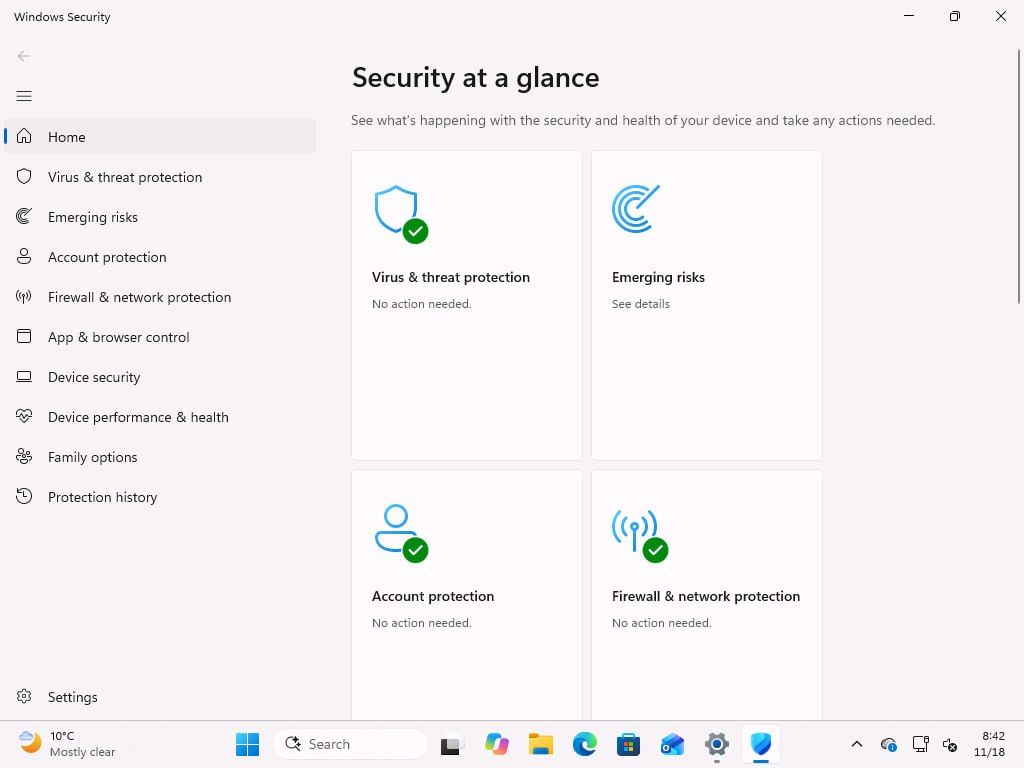
Microsoft describes emerging risks as “serious vulnerabilities in apps, drivers, or firmware on this device that require attention.” According to the company, Windows can track them and show when an action is available. Here’s what the new Emerging Risks dashboard looks like on my PC:
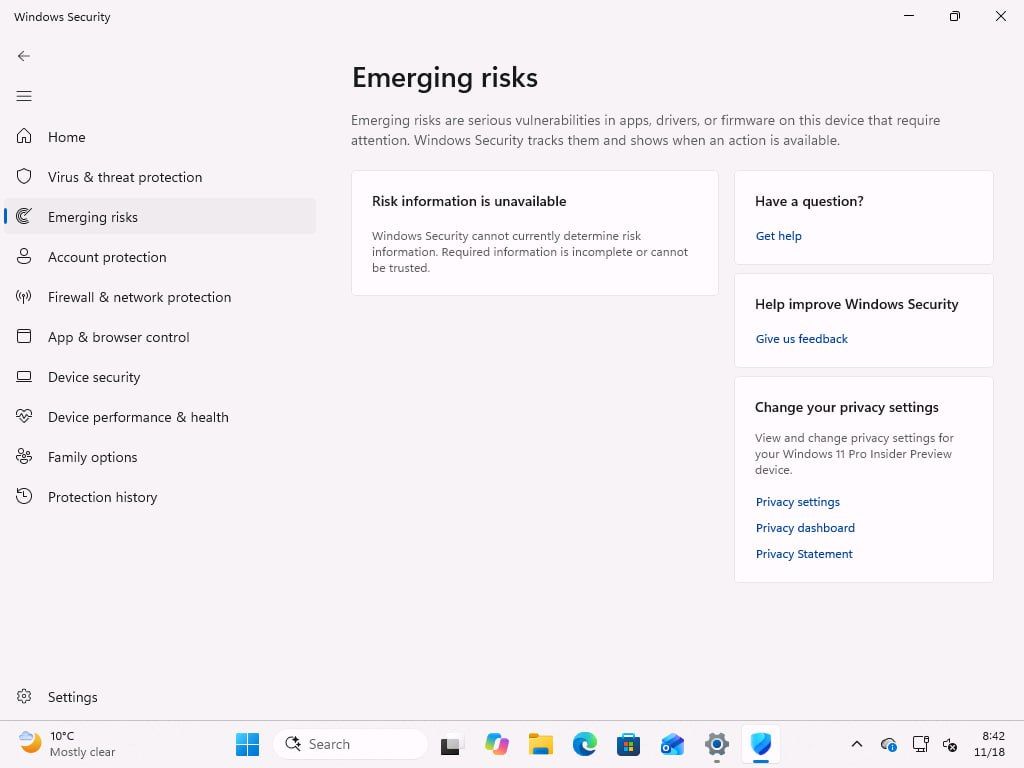
The dashboard was mostly blank for me, and Windows says, “Windows Security cannot currently determine risk information. Required information is incomplete or cannot be trusted.” So, for now, it can’t tell me whether there are any vulnerabilities on my PC, but that doesn’t necessarily mean Windows is fully secure.
How Windows 11’s new Emerging Risks could help keep your PC secure
Windows Latest understands that Windows Security may be able to rate the “risk” it detects on your PC, so you know how quickly you need to act.
I don’t know a lot about how Emerging Risks actually works beyond the fact that it’ll be similar to a security dashboard for everything installed on the PC. But I looked up the code strings in the preview builds, and here’s what I found:
- Windows can already read the apps, drivers, and firmware on your system, and it may check Microsoft’s database for vulnerabilities. If an app, driver, or firmware component on your PC has a known vulnerability, you could see a flag under Emerging Risks with a suggested course of action.
- Microsoft could ask you to install an update if one is available to patch a vulnerability, or suggest removing an app or driver or disabling an affected component if there’s no patch. As I noted, it may depend on the level of risk. If it’s not a huge deal, you may not be asked to delete the app.
- Windows could also pull details about the vulnerability from Microsoft and third-party channels to help you decide what action to take.
Microsoft can take care of vulnerabilities it finds in its own products, including Windows, but what about the other apps, drivers, or firmware on your PC that might be vulnerable? Microsoft can’t force-update every app for you, and its new unified updates program depends on developers signing up.
This is why I think Emerging Risks could at least tell you when something needs attention, and is a great idea, at least on paper.
In July 2026, Microsoft 365’s security director urged users not to delay Windows updates for three days or more. Fast forward to October 2026, and more than 1,000 vulnerabilities were addressed across Microsoft products, including Windows. But Microsoft insisted that more bugs don’t necessarily mean Windows is now less secure.
“A higher number of CVEs does not mean Windows has become less secure,” Nuno Costa, Partner Director for Windows Servicing and Delivery, wrote on November 5. “It means more vulnerabilities have been discovered and closed, reducing the opportunities attackers have to exploit them.”
I can confirm that Emerging Risks isn’t some AI gimmick, and I strongly believe it could be a game changer in today’s time.