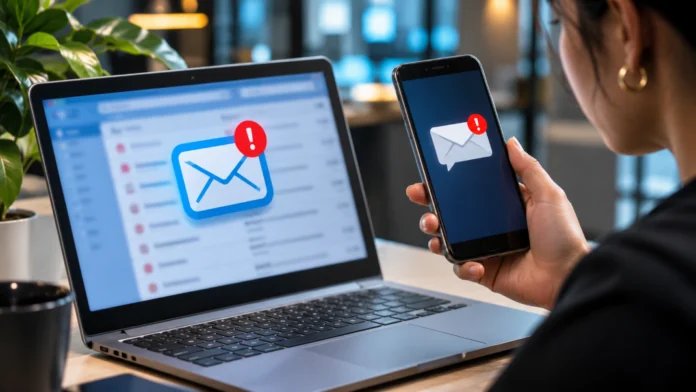
It seems like a normal email. It seems as if a co-worker has sent an updated benefits document, but instead of a web link, there is a QR code and a message saying, “Scan with your phone to review.” The employee reads the email on their work computer, grabs their own phone, and scans the code. There is no crash. No warnings about malware appear. But the employee may have shifted from a secure work environment to an unsecured one.
This transition makes cross-device phishing difficult to detect. The attackers don’t always have to overcome the company’s protection. Sometimes, all they need is to make a person perform their work-related task elsewhere. Scanning becomes browsing, and browsing becomes logging in. And the organization will notice the attack only when some suspicious account activity is detected. Knowing this chain is more important than regarding any QR code as a potential threat.
When Phishing Moves Beyond the Corporate Inbox?
A corporate email gateway will scan messages for malicious URLs, and Endpoint controls will monitor activity on corporate laptops. However, even the well-configured Cybersecurity software installed on a corporate laptop will not be able to check activities on an unmanaged personal phone. When it comes to QR Code Phishing or Quishing, the destination is concealed within an image until it gets scanned. Though the initial email gets approved by all the security measures, the next step will take place on the mobile phone, where there are no conventional detection tools.
This is not a fictional case. As stated in the FBI alert issued in January 2026, Kimsuky campaigns that used QR code lures to divert victims from workstations to mobile phones were linked to North Korea. One of the lures was related to a nonexistent conference. It took its victims through a registration process to a fake Google sign-in page. What would a researcher do if he or she received an event invitation?
A Legitimate Login Page Can Still Be Part of an Attack
Another tactic is more unnerving occasionally, the sign-in page may belong to the provider. In April 2026, Proofpoint discovered attacks in which the attackers posed as HR staff and used salary-notification PDFs including QR codes. From there, users were directed to pages that mimicked known document signature and Microsoft services pages, and instructed to input a code via the real Microsoft device-login process. Device-code phishing occurs when the attacker initiates the request and convinces another person to confirm it. A QR code is one possible approach here, while authentication abuse is the other.
This makes it clear what workers need to be on the lookout for. Checking the website address will come in handy, but even if a web address turns out to be legitimate, that alone will not prove that a request for a new type of authentication was made correctly. An employee can undergo multifactor authentication and still approve an unauthorized sign-in. According to Microsoft’s September 2026 study, the EvilTokens phishing service was connected to breaches of over 12,000 inboxes in over 10,000 companies.
Where AI-Assisted Detection Can Help and Where It Can’t?
AI-based detection can prove useful when individual pieces of information are harmless on their own but are part of something bigger. An example would be an employee receiving an unusually strange request for a document at 9:00 a.m., then being immediately prompted for a device sign-in code along with mailbox access. Combining those three pieces can help an analyst see the whole picture rather than just separate incidents. Moreover, behavior analysis can prove useful for alert prioritization in case a security team is overwhelmed by the amount of alerts coming in.
However, any analytical tool needs access to data it can work with; otherwise, it simply won’t be able to do its job properly. For instance, scanning an unrecognized code from an unmanaged smartphone is unlikely to give an enterprise visibility into that phone’s browser use. Similarly, even if a legitimate sign-in is performed by someone else on the user’s behalf without user input, AI won’t be able to figure that out. Better detection requires better telemetry and identity policy enforcement.
Five Steps Security Teams Can Take Today
- Restrict device-code logins. Configure Conditional Access policies to prevent the use of device-code authentication when not required. In cases of legitimate need, like for some meeting room devices, create exception policies. Inspect sign-in logs before implementing these changes to ensure that important business processes are not disrupted.
- Consider mobile access as a part of identity security. Determine which corporate resources can be accessed by personal phones, under which conditions, and apply device compliance rules, being clear about privacy issues and the limitations of monitoring employee-owned devices.
- Explore the entire chain. Connect suspicious email reports with device-code sign-ins, application grants, token activity, and unusual mailbox modifications. An apparently innocent QR-code message can turn out to be important when looking at the chain of identity-related events.
- Create training materials based on real examples. Demonstrate to employees a scenario in which a payroll PDF asks them to scan the code and enter another code on a well-known login page. The right thing to do would be to stop and verify the request.
- Prepare for token-based attacks. If an employee approves the attacker’s session, a password reset might not solve the problem. Explore the session, invalidate the tokens, check the application permissions, and the mailbox rules
The Real Security Boundary Is No Longer the Device
Moving back and forth from corporate laptops to personal smartphones is done without a person seeing it as entering an environment where security is at risk. The attackers hope for this lack of effort to be present. This does not mean restricting the use of QR codes or automatically trusting everything that gets into personal devices. It requires reducing superfluous authentication steps, verifying out-of-the-norm requests, and matching up identity signals with the actions leading to them. The worker scans to continue. Security knows it means more than that.
__________
About Ashutosh Bhatt
Ashutosh Bhatt is a cybersecurity and digital technology contributor at Vault Security, with a focus on emerging cyber threats, phishing prevention, online scams, and digital privacy. His writing explores how evolving attack techniques, artificial intelligence, and changing online behaviors are reshaping cybersecurity. Through practical insights and research-backed perspectives, he aims to make complex security challenges easier to understand and help individuals and organizations navigate an increasingly connected digital world.