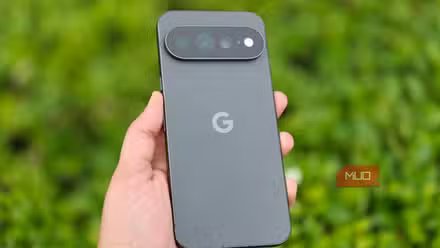
A clean Android experience is what a Pixel phone promises, and while I’m a fan of that, it can sometimes get annoying. For instance, it can be annoying when the Pixel doesn’t let you do basic things like remove the Google search bar from the home screen.
The good news is that there’s an app called Essentials that can fix such Pixel annoyances and bring the flexibility it’s missing. I recently tried it, and it’s one Pixel app I can’t recommend enough.
Essentials gives your Pixel the flexibility it lacks
The app that fills in Google’s blanks

Essentials is a free, open-source app that offers several tools and mods for your Pixel. If you’ve used Samsung’s Good Lock, this is similar in many ways. You get tools that let you tweak things that the phone otherwise doesn’t allow. Since the app isn’t available on the Play Store, you need to install it manually on your Pixel, but it’s nothing you can’t handle.
Once you’ve installed the app, it gives you a long list of tweaks grouped into sections like Sound and Haptics, Display, Widgets, Input and Actions, and Networks. You can go through each of these, and you’ll come across various interesting options.
For instance, Notification lighting lets you enable edge lighting on your Pixel, similar to the one you get on Galaxy phones. Head to Display > Statusbar icons, and you can hide specific icons you don’t want visible all the time, like VPN or Hotspot. And if you’re a fan of Apple’s Dynamic Island, the app can also bring that to your Pixel. The best part here is that it’s completely customizable, so you can tweak its placement, look, behavior, and even what items it shows.
Heck, Essentials can even bring Google Maps’ power-saving mode that’s exclusive to the Pixel 10 series. These are just a few examples. If you’ve got a Pixel Watch, the app offers a whole set of mods for that too.
Tweaks I couldn’t make without Essentials
The Essentials app can do a lot, but I mainly use it for three things — the stuff that used to annoy me the most about using a Pixel phone.
The home screen Google search widget is an iconic Android feature. But on Pixels, it can get annoying. On most Android phones, you can remove the home screen search bar or even replace it easily, but that’s not the case on Pixels. The search bar just sits there, whether you like it or not. The only real way to remove it is to switch to a third-party launcher, which works, but it’s still a workaround when all you wanted was to get rid of one widget. Essentials gives you a simple toggle for replacing the Google search bar on the home screen.
I also used its button remapping feature. It lets me remap the long press action of the volume buttons. You can set these to open an app, toggle the flashlight, change sound mode, enable split screen, and do a lot more. It’s flexible too. If you don’t want the remapping to kick in while the volume panel is already on-screen, for instance, there’s a toggle for that as well. I used to rely on the Button Mapper app for this, but not anymore, since Essentials offers the same flexibility for free.
Finally, Essentials brings widget stacking to Pixels. This is something I’ve missed the most since switching from a Galaxy phone, which supports widget stacking right out of the box. The app brings that same experience to a Pixel, and the widgets cycle automatically based on a timer you set. This feature is still in beta, but it’s worked flawlessly for me so far.
Essentials is not a Pixel-exclusive
Any Android phone can benefit

Although this app is primarily built for Pixel users, it works on pretty much any Android phone. So if you’re on a Galaxy, a OnePlus, or anything else, you can still bring over button remapping, Maps’ power saving mode, the Dynamic Island clone, and most of the other tweaks I’ve mentioned. The app does ask for a handful of permissions depending on which feature you’re trying to use, which is normal for such apps.
The only other thing is that some of the advanced tweaks do require setting up Shizuku. Shizuku is also free, open-source. It allows apps like Essentials and Canta to run ADB-level commands without a PC or root access. It’s safe to use, but it does require a setup of its own. If you’re patient enough to get it done, the Essentials app can help fix almost every annoyance with your Pixel phone.