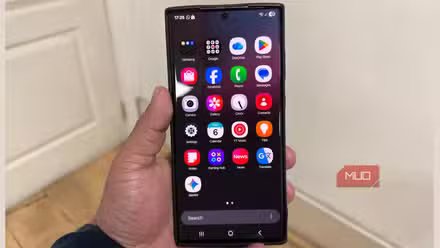
The first thing we instinctively do after getting our hands on a new device is install a bunch of apps. These can range from daily essentials like messaging apps and streaming services to shopping apps and more.
So, I decided to challenge myself and see whether I could survive without any additional apps on my phone. The first step was to remove all the apps from my device and analyze whether I needed to reinstall any of them. The results were quite surprising.
Performing a factory reset gave my phone a fresh start
It is the fastest way to delete all the apps

You can erase your data on most Android devices by going to the Settings app, navigating to System or an equivalent option, and choosing factory reset.
Most Android devices also allow you to perform a factory reset via a combination of physical buttons when the device is switched off. The exact button combination differs based on the manufacturer and model.
- Open the Settings app on your device.
- Select System.
- Tap Reset options.
- Select the Erase all data (factory reset) option.
- Tap Erase all data.
- Enter your PIN, pattern, or password if prompted.
- Confirm to factory reset your device.
The apps I realized I didn’t need
The results were unexpected
Once the reset was complete, my motive was to try to live without any additional apps as long as I could. To tackle this, I planned use the default apps and then Chrome to visit the website version of the services I needed.
For instance, I started using the website version of Amazon and Flipkart for my shopping needs. I was able to browse products, compare prices, read reviews, and place orders without any hassle.
I expected Instagram to be one of the first applications I would reinstall. To my surprise, I was pretty content accessing my profile via the website version. I was able to browse posts, check my feed, and post reels.
I did notice some differences between the mobile website and the dedicated application, particularly when it comes to creating content. Facebook Messenger was another app I could comfortably avoid, as I don’tt use it frequently.
Before resetting my phone, I spent a lot of time using the Suno app to create drafts of my ideas before writing, recording, or getting my producer to create an instrumental.
However, to my surprise, the web version was far better than the app, especially if you access the desktop version on your smartphone. The only issue is the interface. But you get a ton of additional features that are not even available on the app, such as Suno Studio and the ability to extend your song.
The same applies to AI assistants like ChatGPT and Gemini. I did not miss the dedicated apps. Even wallpaper apps didn’t make the cut, as I could find high-quality wallpapers on websites or generate my own images using AI tools.
The apps I actually ended up installing
There were only two

The first application I ended up installing was WhatsApp. While I tried using Google Messages, it wasn’t long before I gave in. There’s no denying the fact that Google Messages is perfectly capable of handling regular text conversations.
With RCS enabled, it offers features such as typing indicators, read receipts, high-quality media sharing, and improved group chats, provided the other participants supported RCS.
But everyone in my circle uses WhatsApp as their primary messaging platform, and I couldn’t realistically expect everyone to switch to another messaging platform.
Uber was another app I ended up installing. Because my work requires a lot of travel, I need to book cabs fairly regularly. I wasn’t comfortable with the hassle of using Uber through Chrome.
Having the dedicated app makes the entire process more convenient, as I can quickly book a ride, track my driver’s location in real time, receive trip updates, and access my ride history.
I don’t need as many apps as I thought
This experiment made me realize how many unnecessary apps I had installed. I was under the impression that I would easily end up installing most of the apps.
But even if you omit non-essential shopping and wallpaper apps, I realized I could comfortably do without tools that I had earlier considered to be a big part of my usage pattern.
You can genuinely accomplish most tasks using Android’s default apps and Chrome. Of course, the experience ultimately depends on your own habits. Supposing you regularly create content and edit videos, you might have an entirely different list of essential apps.
It’s worth noting that accessing a service via its website version isn’t always a downgrade. Some websites offer additional features that are not available in their app versions. In no way am I suggesting that you should uninstall every app on your phone. But it’s worth questioning whether you really need a dedicated app for every service that you use.