We may receive a commission on purchases made from links.
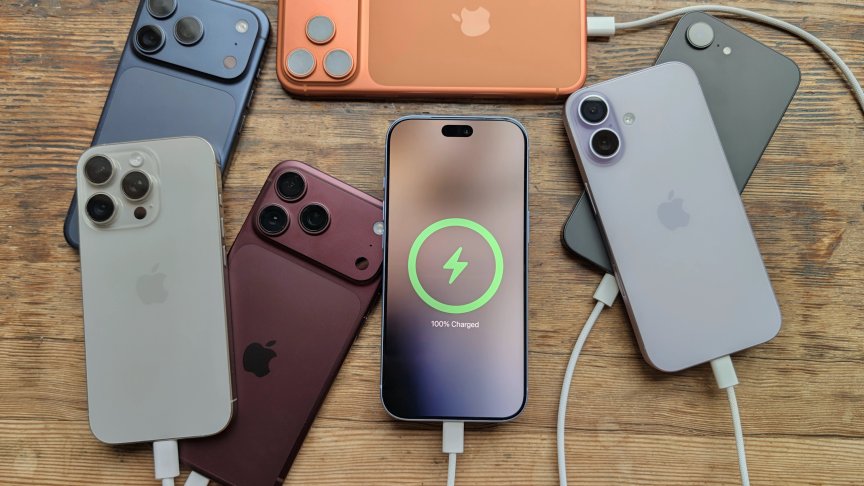
With MagSafe, your iPhone’s back can carry a lot more than just your case. You can attach various MagSafe accessories like wallets, external storage, keyboards, controllers, and chargers, among many other peripherals. This ability opens a whole new world of possibilities without having to replace your current iPhone or having to worry about carrying extra devices separately. Before we proceed, please note that iPhones older than the iPhone 12 series, as well as the 16e, don’t have MagSafe — so this guide only applies to the 12 series onward (excluding the 16e).
Given the sheer number of MagSafe accessories to choose from, we’ve filtered out all the noise and settled on 10 select items. Each of these selections makes the cut based on two critical criteria — it has to add functionality that your phone doesn’t have out of the box or make performing specific everyday tasks easier on your device. There’s just one exception that we have to mention upfront — the ShiftCam ProGrip, which uses a clamp rather than MagSafe but it still attaches to the back of your phone.
Clicks Power Keyboard
If you fancy pressing physical keys like in the good old BlackBerry days, you can do it on your iPhone thanks to the Clicks Power Keyboard. This accessory gives your iPhone a physical keyboard that you can slide away whenever you’re not using it. If you’re familiar with the Clicks Keyboard from the same brand, this is very different from the first iteration.
For one, you don’t have to commit to having an elongated case. Second, you can detach it from your device and type over Bluetooth, which means you can also use it on other devices like iPads. Lastly, and most notably, it comes with a 2,300mAh battery that will wirelessly provide extra juice to your phone’s battery. You also get adjustable backlighting and keyboard navigation.
The Power Keyboard is without a doubt more than a nostalgia fix at this point. However, you should note that your phone will become a little bit top-heavy when you type with it in portrait orientation, and there’s definitely a learning curve before it becomes your everyday carry. That aside, it’s a solid MagSafe accessory that will feed your tactile typing craving and still keep your phone alive when its battery runs low.
Ulanzi MagSafe Selfie Ring Light
As a content creator, I’ve found that adding a little bit of light to my phone videos usually makes a huge difference. However, carrying a ring light whenever I’m on the move is never on the cards. Ulanzi’s MagSafe Selfie Ring Light solves this problem by supplying adjustable illumination in a tiny form factor that sticks to the back of your iPhone magnetically. It has a folding hinge that moves across 180 degrees to adjust the light’s position and is great for quick talking-head videos, video calls, and selfie snaps.
You can adjust the Ulanzi MagSafe light’s brightness and color temperature to your liking. Operation time is up to 90 minutes at maximum brightness and up to eight hours at the lowest setting. Charging it up via USB-C takes about 90 minutes. It’s also more than just a light, doubling as a phone stand when you want to use your phone hands-free.
Insta360 Snap Selfie Screen with Light
Insta360’s Snap Selfie Screen is another content creator accessory to consider if you’re keen on getting the best-looking photos and videos out of your iPhone. It’s basically a mini-monitor that mirrors your phone’s display on the back so you can utilize the superior rear camera setup instead of relying on the limited front camera (it works with the iPhone 15 and later, except the e models and the Air). We’d recommend going for the light-equipped variant for the same reasons outlined for the Ulanzi MagSafe Selfie Ring Light.
The Snap Selfie Screen is just about the size of a small wallet that neatly fits under the camera module. It carries your phone’s display feed and draws power via USB-C — which also ensures a stable connection, unlike wireless options. It’s also a touchscreen, meaning you can control your apps from the back of your phone, but you have to enable Zoom in your iPhone’s accessibility settings to make it work. If being able to see yourself while recording or vlogging is the missing piece in your setup, this accessory is well worth getting.
Oh Snap Magnetic Controller
Ohsnap’s Magnetic Controller might be a great acquisition for you if you want to add physical controls to your mobile gaming experience. What differentiates it from most smartphone gaming controllers is that once you stick it to the back of your phone, you press a release button to bring up the controller. Besides the control buttons, you also get fold-out palm grips to provide additional support for your hands. It’s about the size of an iPhone 17 Pro but a bit chunkier, and you can leave it on your phone if you want to use it on the go.
The controller’s buttons are tactile, and its joysticks are responsive with minimal central dead zones. To use the controller, you have two connection options — wireless via Bluetooth or wired via USB-C. If you choose to go the wireless route, you can detach the MagSafe module from the controller and use it as a stand while you hold onto the controller.
Anker Prime Foldable MagSafe Charger
If you’re deep in the Apple ecosystem, having to pack separate chargers for your iPhone, Apple Watch, and AirPods can be annoying. The Anker Prime Foldable MagSafe Charger solves this problem, offering a 3-in-1 solution to charge up the three devices all at once. It’s a palm-sized, foldable wireless charger that comes with a 45W adapter and a USB-C cable to route power from an outlet.
The Anker Prime charger has three charging spots. The front will charge your iPhone, the back will charge your Apple Watch, and the bottom will charge your AirPods. The phone pad supports up to 25W on compatible iPhones, though the product’s listing states that it’s not compatible with the iPhone 16e. Wireless charging generates a lot of heat, so the charger comes with a built-in fan to keep things cool, but you can turn it off if you prefer silent operation. It’s a pricey accessory at about $150, but it’s totally worth it for travel or if you just want a neater desk setup.
Sandisk Creator Phone SSD
Another MagSafe accessory worth considering if you’re a content creator is the SanDisk Creator Phone SSD. You attach it to your phone magnetically and connect it via USB-C to expand your phone’s storage (this requires an iPhone 15 or later). It comes in 1TB or 2TB capacities, which will definitely save the day when recording demanding video such as ProRes on Pro models. You can also use it on your computer as a standard portable SSD.
The SSD has rubberized edges, making it one of the most comfortable drives you can have on the back of your phone. It comes with a cable strap to keep things tidy, though the cable is a bit longer than necessary if you’re keen on a clean look. It’s also not fully waterproof (rated IP65 for water and dust resistance), but that doesn’t take anything away from it as far as handheld filming on your iPhone is concerned. In terms of speed and reliability, the Creator Phone SSD performs well, which is what you’d expect from one of the leading portable storage brands.
Omoton Magnetic Phone Tripod
Omoton’s Magnetic Phone Tripod is yet another MagSafe accessory that seeks to make shooting photos and videos on your iPhone easier. Here’s where it comes in handy — it extends on a folding arm, works as a desktop tripod, or serves as a phone stand when you want to use your device hands-free. When used as a stand, the base can magnetically stick to metallic objects, meaning you can use it on vertical surfaces too. The base also has a clamp, which comes in handy if you want to mount your phone on non-metallic surfaces like desks or tables.
As a mini-tripod, this accessory features a pair of legs that unfold out of the base, allowing you to place it on a flat surface. When not in use, you can pack it down to a palm-sized package, and it has a carabiner-style clip so you can hang it on your backpack if you’re on the move. The versatility that this accessory offers is the appeal here.
Moft Snap Flow Notepad & Stand
I can’t remember the last time I scribbled something down on paper — let alone used a phone accessory that let me do so. Moft’s Snap Flow Notepad & Stand lets you do it by offering a refillable paper notepad and a tiny ballpoint pen that live on the back of your phone. It opens up like a small notebook for you to write, making it a great brainstorming tool since you’ll always have your phone with you. Besides that, handwritten reminders hit different — they reduce the likelihood of finding yourself doomscrolling when all you wanted to do was check your calendar or notes app.
The Snap Flow also doubles as a phone stand, so it remains useful once you’re done writing. Of course, it doesn’t replace a full-size notebook, but knowing you always have a place to quickly write down ideas, shopping lists, and a brief to-do list makes it worth owning. It could also be a great mini-gift for that friend or loved one who loves writing.
Moft Magnetic Wallet Stand
Most standard wallets are bulky, making accessories like the Moft Magnetic Wallet Stand a sensible pitch. Rather than adding a second item to your pocket, it sticks to your iPhone while carrying your cards or some cash, and it can still become a phone stand while at it. The stand can be folded out into landscape, portrait, or floating mode. It’s only 0.2 inches thick, so it’s designed to hold just the essentials. Your ID, credit card, and possibly a third card could all go in here. So no more having to carry those rarely used loyalty cards.
It may not look like much, but if you’re a minimalist, you will appreciate not having to worry about the extra bulk a standalone wallet brings. The stand feature is also a useful addition. It’s not just a place to stash your cards — it may also come in handy when you want to prop up your phone next to a recipe in the kitchen or on your work desk.
ShiftCam ProGrip
As we pointed out earlier, the ShiftCam ProGrip isn’t an actual MagSafe accessory, but we had to recommend it for its camera-focused benefits and the fact that it still attaches to the back of your phone. It uses spring-loaded jaws to secure most phones and solves the problem of smartphones not having the best grip when taking videos and photos. What the ProGrip does is make using your phone feel more like using a traditional camera. It adds a sculpted handle, a physical Bluetooth shutter button, and a rotating holder for switching between landscape and portrait shots.
That’s not all; it adds a built-in battery that wirelessly (or via USB-C) juices up your phone while you’re using it. It also comes with tripod and accessory mounts for a full creator kit, allowing you to add support, additional lighting, or a microphone. It’s a great starting point if you’re planning on owning a dedicated camera but don’t currently have the budget for one. Unlike most other accessories here, the ProGrip is bulky and designed for planned shoots — but it is still worth considering if you want to improve your phone camera’s ergonomics.
How we settled on these selections
To narrow down the list, we looked at professional reviews from other outlets. Utility is the main criterion here, so we went for accessories that either add particular functionality or solve a specific problem that comes with using your iPhone every day. For instance, the Insta360 Snap Selfie Screen can help when you’re recording videos of yourself alone and want to use the superior rear camera instead of having to rely on the front camera. Something like a MagSafe wallet adds the ability to safely store your cards or even some cash without needing a standard wallet, which is one less thing you will have to worry about losing when you step outside.