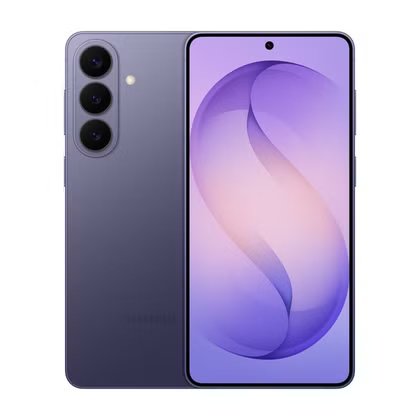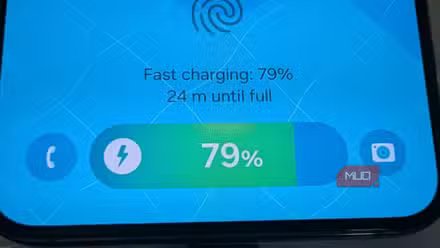
I thought I was smart to keep Battery Protection enabled on my Samsung Galaxy. It offered to extend the life of my battery by limiting charging to various levels — even to as low as 80%. But when I did the math on battery longevity and considered the downsides of not starting my day with a full battery (which is a likely side effect of using Battery Protection), I concluded that there was a much better option.
Phone batteries get worse over time
Manufacturers try to slow down aging by not charging to 100%

All batteries are consumables, meaning the more you use them, the shorter their life becomes. And heat is the enemy of batteries. Most of the heating occurs at the beginning of your charging cycle, when charging is fastest, but then as the battery nears 100% it becomes more difficult to store more electrons in your almost-full battery and charging slows dramatically.
So manufacturers have started letting users limit charging, either with a hard limit, or with an algorithm that tries to detect when you take your phone off the charger, keeping your battery at 80-95% until that point. The main purpose of the charge limit is to prevent the phone from charging to 100% and staying there, because staying a a high voltage for prolonged periods is what is really bad for batteries.
This all sounds good on paper, but if your phone gets the timing wrong — and this has happened to me many times with Battery Protection flipped on — you might take your phone off the charger and not have 100%.
I don’t know about you, but I need my phone’s full battery capacity every day, and the downside to charging to full (a shorter battery lifespan) is negligible for those of us who only use a phone for one or two years.
And recent Samsung Galaxy batteries are rated at 1,200-2,000 charge cycles before their health dips to 80%. This means that you can charge your phone to 100% every day without thinking about it for 3-5 years straight without worrying. And the truth is that you’re probably not charging 365 days a year anyhow — with today’s improvements in efficiency, you might be charging 200 times a year, which would give you six years until your battery starts to degrade. The math works in your favor: you don’t need to artificially limit your battery’s charging.
Here’s what Samsung’s Battery Protection does
It’s trying to prolong your battery’s lifespan, but there’s a cost

Samsung Galaxy has a built-in tool called Battery Protection that has two modes.
- Basic. This option will charge your phone all the way to 100%, then stop, and it will resume once your battery goes down to 95%. The problem with charging to 100% and stopping (then dipping back down to 95%) is that that last 5% takes a very long time (depending on charging speed). If you happen to take your phone off the charger when the phone is below 100%, it might take a long charging session to get it back up.
- Maximum. This is a more aggressive charge limiter with a hard cap (you can pick from a limit of 80, 85, 90 or 95 percent). While technically this option will do the most to preserve your battery by firmly keeping it away from that 100% upper limit, it has the obvious downside of ensuring you never fully charge.
To access Battery Protection on your Samsung, go to Settings > Battery > Battery Protection.
There’s actually a third Battery Protection mode that we used to have on earlier versions of One UI but has made a return on phones with One UI 9.0 and newer and it’s called Adaptive. This tries to strike the balance between Basic and Maximum by learning your usage habits so that the phone charges to 80%, stops, and then tries to go to 100% when it predicts you’ll be taking it off the charger. In my experience, the prediction is usually off, and often you’ll take the phone off the charger with less than a full battery.
The math works in your favor: you don’t need to artificially limit your battery’s charging.
Nothing is more frustrating than starting the day with less than a full battery unless you plan to charge it anyway in the car or at work. But for me, I just want to be able to use my phone as much as I want, all day, and not think about the battery.
I turned off Battery Protection
And now my phone always charges to 100%

As you might have guessed by now, I don’t like Battery Protection and I keep it off. It’s just not worth it to slightly prolong my battery’s lifespan when I change phones every 1–2 years anyway, in exchange for not being able to charge my battery to full. That said, if you tend to use your phone for more than a couple of years, and you want to prolong the life of your battery, then your best bet is to use the Basic mode in Battery Protection, or pick Maximum at 95%, which will make it more likely that you’ll take your phone off the charger with an almost-full charge.