
Der Artikel kann nur mit aktiviertem JavaScript dargestellt werden. Bitte aktiviere JavaScript in deinem Browser und lade die Seite neu.
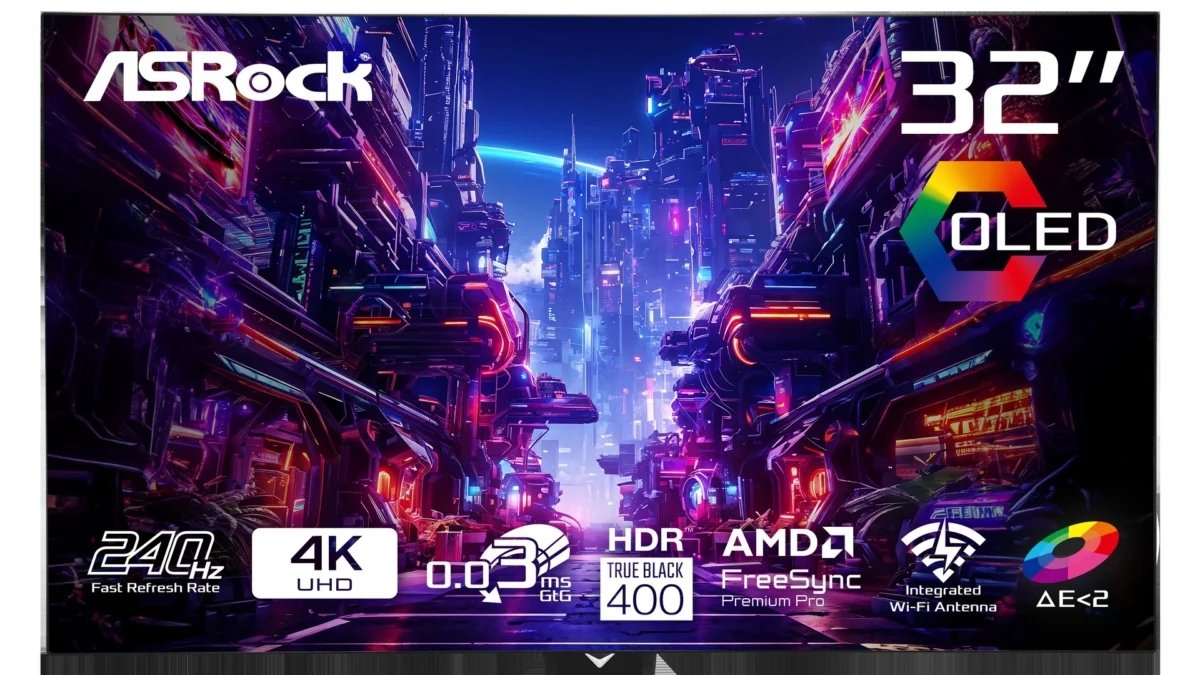
ASRock’s PGO32UFS is $596 at Newegg, bringing a 32-inch-class OLED monitor with two distinct gaming modes below $600. It runs at 4K and 240Hz, or switches to 1920 × 1080 for 480Hz.
This new-condition offer is sold and shipped by Newegg with free shipping when checked. The retailer displays a $899 comparison price, a $303 difference.
The choice between modes matters more than the biggest number on the box. Full HD has one-quarter as many pixels as 4K: the faster mode trades fine detail for a higher refresh ceiling. It does not make a PC generate 480 frames per second.
Newegg displayed comparison price
- New; sold and shipped by Newegg
- 4K 240Hz or Full HD 480Hz
- 31.5-inch WOLED panel
Two gaming modes, plus USB-C charging
ASRock specifies a 31.5-inch WOLED panel with an anti-glare surface and AMD FreeSync Premium Pro. Typical SDR brightness is rated at 275 nits, while the separate 1,300-nit HDR peak figure should not be read as sustained full-screen brightness.
Connections include two HDMI 2.1 inputs, two DisplayPort 1.4 inputs and USB-C with DisplayPort Alt Mode and up to 65W power delivery. There is also a KVM switch and a stand with height, swivel and tilt adjustment. Check a laptop’s charging requirements before relying on the monitor’s 65W supply.
The user guide says to enable Gaming → DFR Mode in the on-screen menu before using the rear dual-mode button. That button then switches between 4K/240Hz and Full HD/480Hz.
Check the input details and OLED maintenance
ASRock’s documentation is inconsistent about input limits: its supported-timings table lists 4K/240Hz and Full HD/480Hz for both HDMI and DisplayPort, while a separate frequency specification lists lower ranges. Buyers depending on a particular connection should confirm compatibility with ASRock rather than assume every mode will work with their PC and cable.
The manual also describes a Pixel Clear maintenance cycle that makes the screen go black for about five to six minutes. Leave time for that process instead of treating the temporary blank display as a fault.
Note: Links to online stores in articles can be so-called affiliate links. If you buy through this link, MIXED receives a commission from the provider. For you the price does not change.
As an Amazon Associate we earn from qualifying purchases.