Flatpak makes it easier to install applications across different Linux distros, but its sandboxing model introduces problems that you will eventually run into. An application might not be able to access your files, recognize a connected device, or use a system feature. Even uninstalling applications can leave behind configuration files and other data that continue occupying storage.
You could install a separate utility for every problem, but I think three applications are enough to handle most of the annoying things you encounter when using Flatpak:
Flatseal fixes applications that cannot access your files
Give applications access to the folders and devices they need
One of the most common Flatpak problems is an application that cannot access files outside its sandbox. You might install an image editor only to discover that it cannot open a folder on another drive, or install a media player that cannot access your external storage. This happens because Flatpak applications run inside isolated environments. Their developers specify which parts of the host system an application can access, and those permissions can be more restrictive than what you expect from a traditional RPM or DEB package.
Flatseal gives you a graphical interface for changing these permissions. You can select an installed application and enable or disable access to particular resources, including filesystem locations, devices, sockets, and other sandbox capabilities. After changing permissions, restart the affected application so the changes take effect. If something goes wrong, Flatseal also provides a reset option.
I think Flatseal should be one of the first utilities you install if you regularly use Flatpaks. It saves you from remembering individual flatpak override commands whenever an application needs access to something outside its sandbox.
Flatpak KCM brings permission management into KDE System Settings
Manage remembered permissions without opening another application
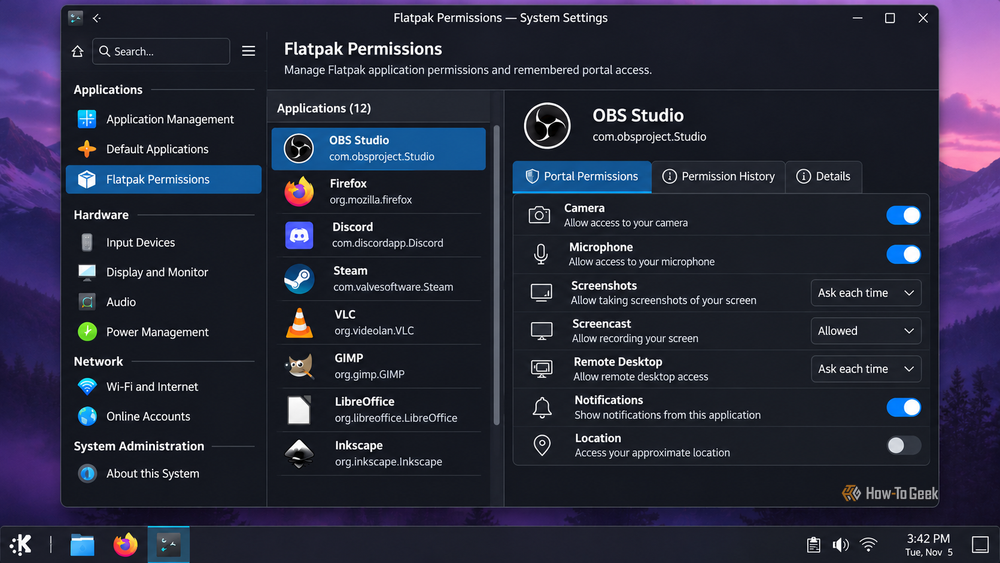
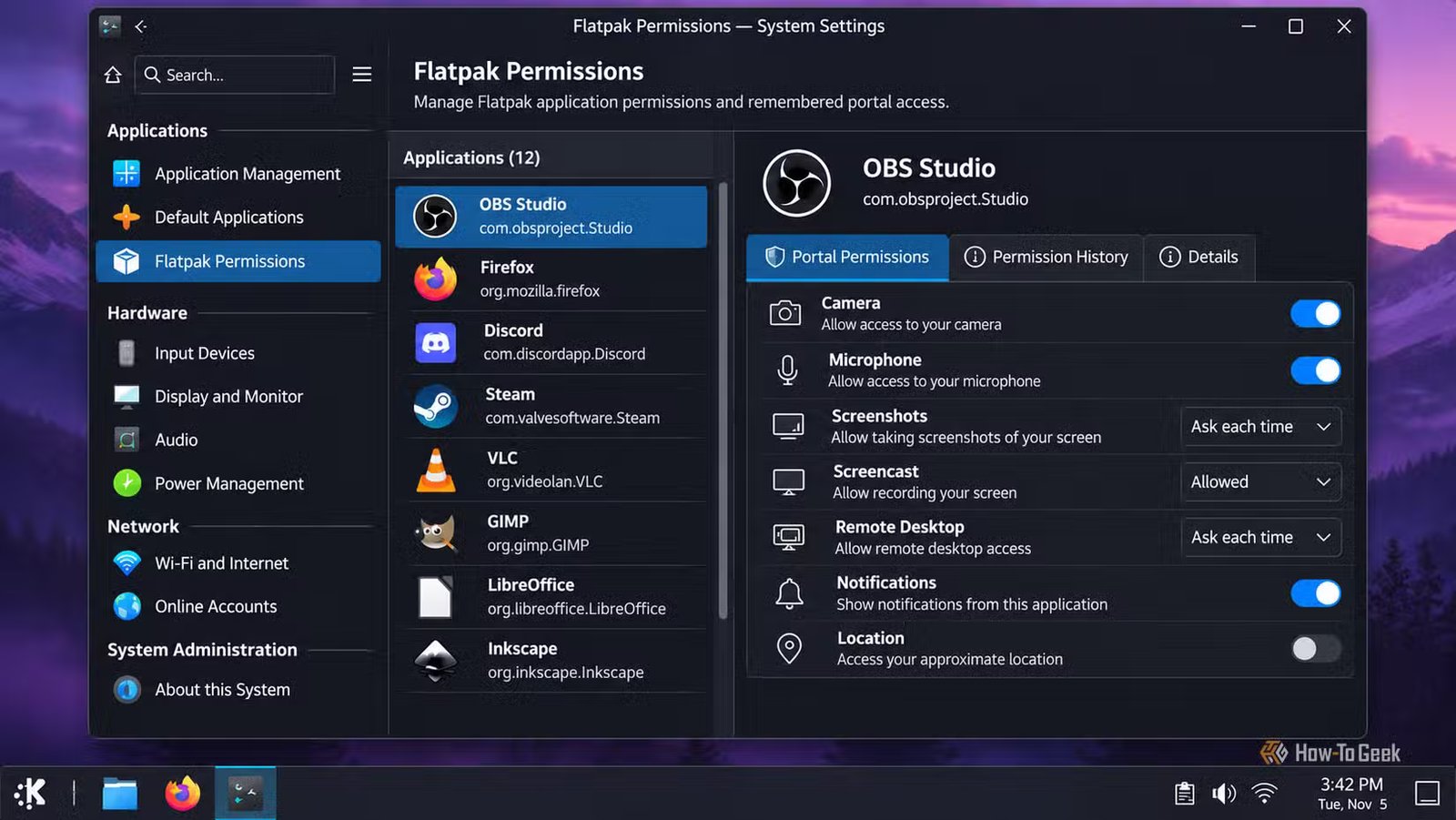
Flatseal works across desktop environments, but KDE Plasma users have another option that integrates directly into their existing settings interface. Flatpak KCM is a KDE configuration module that lets you manage permissions associated with Flatpak applications from Plasma’s System Settings.
The module works with the XDG Desktop Portal permission system. This includes settings associated with location, notifications, screenshots, camera access, wallpaper changes, and other portal interactions. It also supports managing certain remembered permissions, including screencast and remote desktop sessions.
This is useful when a Flatpak application keeps requesting access to something you have already approved, or when you want to revoke a previously remembered permission. Instead of hunting through application settings, you can manage supported permissions from the same place where you configure other aspects of your Plasma desktop.
Flatpak KCM does not replace Flatseal entirely. The former focuses on portal permissions and their associated settings, while Flatseal provides broader control over application sandbox overrides. If you use KDE Plasma, having both gives you more flexibility when troubleshooting applications that cannot access particular system resources.
Warehouse cleans up Flatpak applications and their leftover data
Remove unused applications, manage runtimes, and reclaim storage

After fixing application permissions, you might eventually decide that you no longer need an application. However, uninstalling a Flatpak does not necessarily remove its configuration files and personal data.
Flatpak normally keeps application data in ~/.var/app/. This can include settings, caches, downloaded content, and other files created while using an application. Keeping that data is useful if you intend to reinstall the application, but it can gradually consume storage as you experiment with different software.
Warehouse provides a graphical interface for managing installed Flatpaks and their associated data. You can inspect application information, uninstall applications, delete their stored data, and identify leftover files associated with applications you have already removed.
Warehouse offers a few other useful features that go beyond application cleanup. You can create snapshots of selected Flatpak applications, giving you a way to preserve their data before making changes. You can also manage existing snapshots and use them when you need to restore to an earlier state.
Another useful feature is repository management. Warehouse lets you browse and manage Flatpak remotes, including adding repositories and installing applications from different sources. This means you can handle basic repository management without opening a terminal or relying entirely on your software center. You can also roll back unwanted application updates when an older version is available from the remote, pin runtimes to prevent unwanted changes, and mask applications to prevent updates.
You can manage most Flatpak problems with just three applications
The above three tools solve most of the problems you are likely to encounter when managing Flatpak applications, but they are not the only utilities available. There are several smaller projects that focus on more specific tasks. Flatsweep, for example, helps identify and remove leftover files from uninstalled Flatpak applications, while jdFlatpakSnapshot offers another way to create and restore application snapshots. These are useful projects, particularly if you have a specific problem that Flatseal, Flatpak KCM, or Warehouse does not address. However, I think most desktop users will find the functionality they need in Flatseal, Flatpak KCM, and Warehouse without installing all these additional utilities.
Of course, you can still use the terminal for occasional maintenance. Commands such as flatpak override, flatpak repair, and flatpak uninstall --unused let you change sandbox permissions, repair Flatpak installations, and remove unused runtimes. Knowing a few of these commands can save you from installing another graphical utility just to perform an occasional task.