Electronic trading major Interactive Brokers has unveiled a set of enhancements to the IBKR Desktop platform.
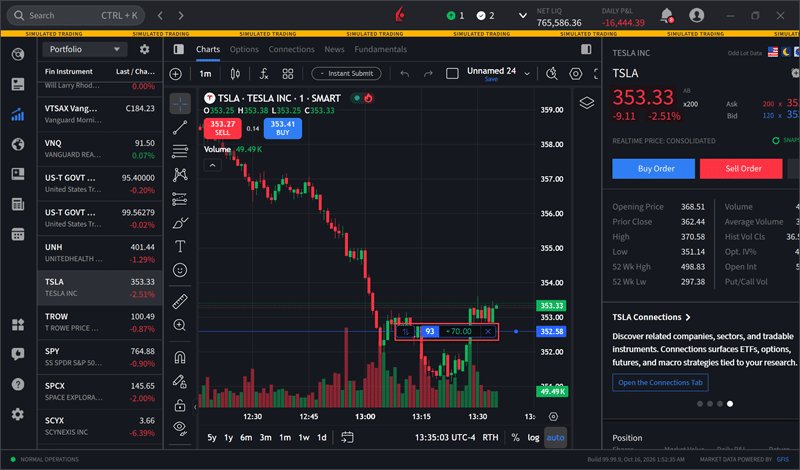
Version 4.0 (beta) of IBKR Desktop enables traders to view executed trades directly on charts, making it easier to review trading activity alongside an instrument’s price movements. Executed trades are displayed for the selected instrument, providing a convenient visual reference of one’s trade history without navigating away from the chart.
To use this tool:
- Navigate to the Quote panel.
- Select an instrument from the left side of the chart.
- Your executed trades for the selected instrument will populate on the chart.

Also, the Close Positions tool in IBKR Desktop provides a streamlined way to close all or selected positions from a single interface. Customize the amount and order parameters for greater control when closing multiple positions.
IBKR Desktop now also offers a System color theme option, allowing the platform to automatically switch between Light and Dark themes based on your operating system’s appearance settings. This provides a more seamless viewing experience by keeping IBKR Desktop consistent with your device’s preferred display theme.