Cinnamon 6.8 also adds a new screensaver and lock screen for both Wayland and X11, a switch to 1:1 touch gestures, and a new screenshot tool—with options to capture: windows with and without shadows, the entire desktop, the current monitor, or a custom selection—rewritten entirely for the Cinnamon desktop. The Nemo file explorer has received a new preview pane that can be enabled and disabled with a UI toggle or by pressing F7, and it now supports Interactive Search for easy document and file searching. Mint 27 also adds a new clock and calendar app with integrations for local calendars, Google Calendar, and CalDAV services. It allows for event creation and online syncing, and it supports toast notification reminders and alarms.
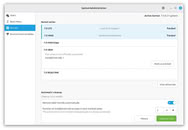
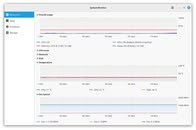
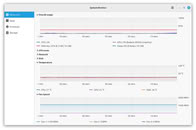
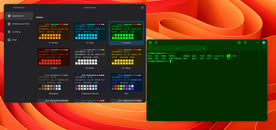
The System Administration utility has also been rewritten to include features like environmental variables and kernel management. Linux Mint 27 beta also officially reintroduces hibernation to the desktop environment after it was previously removed upstream by Ubuntu, a change that was previously confirmed in another development update. Mint also has a new terminal emulator called Velocitty, which is based on Ghostty and features comprehensive theming, support for tabs, and session saving. Additionally, Linux Mint introduces Superlight, which is a new system monitor featuring proper monitoring of the CPU, memory, swap, network activity, disc stats, fan speeds, and battery usage and other stats.
There is also a new default archive manager, called Unfold, with 7-Zip and RAR support, and a new e-book reader called Xepub. Thingy is another nice new built-in desktop library that allows you to easily access recent files, folders, and favorites, effectively making it easier to pick up where you left off without resorting to desktop session restore.