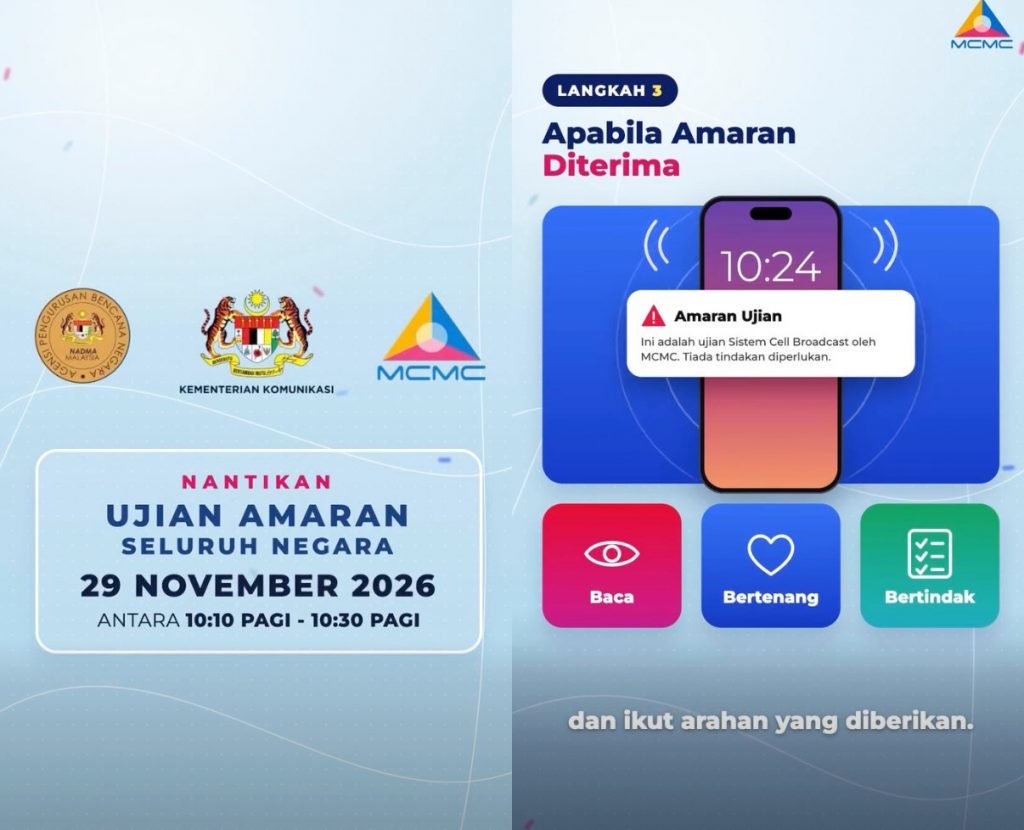
Malaysia’s new Early Warning System (EWS) has officially been named MySiren, which will deliver emergency warnings directly to mobile phones during disasters and other serious emergencies.
Communications Minister Datuk Seri Fahmi Fadzil officially launched MySiren at Parliament today along with a simulation exercise to demonstrate how emergency alerts can be delivered to compatible mobile phones.
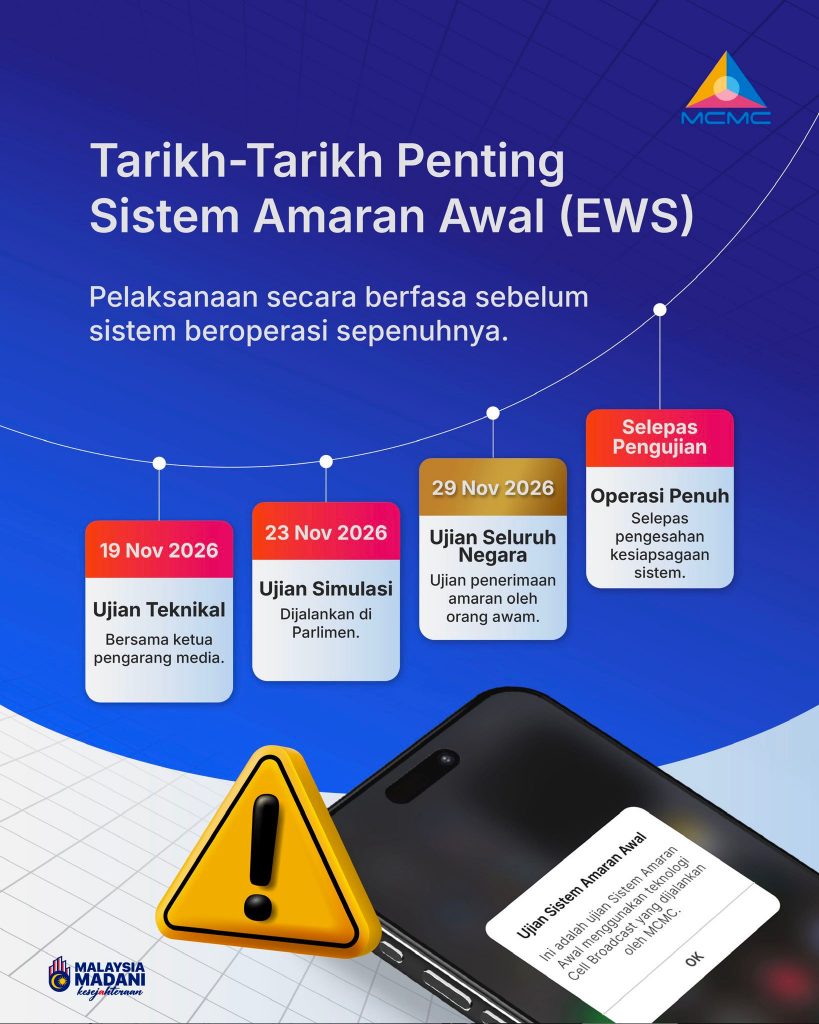
As reported previously, the nationwide public test will take place on Sunday, 29 November 2026 between 10:10 am and 10:30am.
What is MySiren and how does it work?
MySiren is Malaysia’s national Early Warning System designed to provide timely emergency notifications to people in affected areas.
The system uses Cell Broadcast System (CBS) technology, which allows authorised disaster management agencies to broadcast emergency alerts to compatible mobile phones connected to participating 4G and 5G networks.
Unlike conventional SMS, CBS does not send messages to individual phone numbers. Instead, it broadcasts alerts through selected mobile network cells, allowing authorities to target specific geographical areas.
According to MCMC, MySiren can deliver alerts in less than a minute, compared to bulk SMS messages which may take an hour or longer.
Since MySiren uses a dedicated broadcast channel, it does not require mobile data or Wi-Fi. Alerts can also be delivered when mobile networks are heavily congested or when users have exhausted their mobile data quota.
There’s no need to install a separate app, register or subscribe to any service to receive MySiren alerts.
The system can be used to warn the public about floods, severe weather, tsunamis, major fires, hazardous material incidents and other serious threats to public safety.
Which phones can receive MySiren alerts in Malaysia?
According to MCMC, compatible mobile phones must support Wireless Emergency Alerts (WEA), have updated software with Malaysia-specific configuration and be connected to a participating 4G or 5G network.
The current minimum operating system requirements are:
- Apple iPhone: iPhone 11 or newer, running iOS 27.2 or later.
- Android: Compatible devices running Android 12 or later.
- Huawei: Compatible devices running EMUI 16 or later.
However, meeting the minimum operating system requirements does not automatically guarantee compatibility. Devices must also support the necessary Cell Broadcast technology and configuration for Malaysia.
MCMC advises users to update their phones to the latest available software and restart their devices after completing the update.
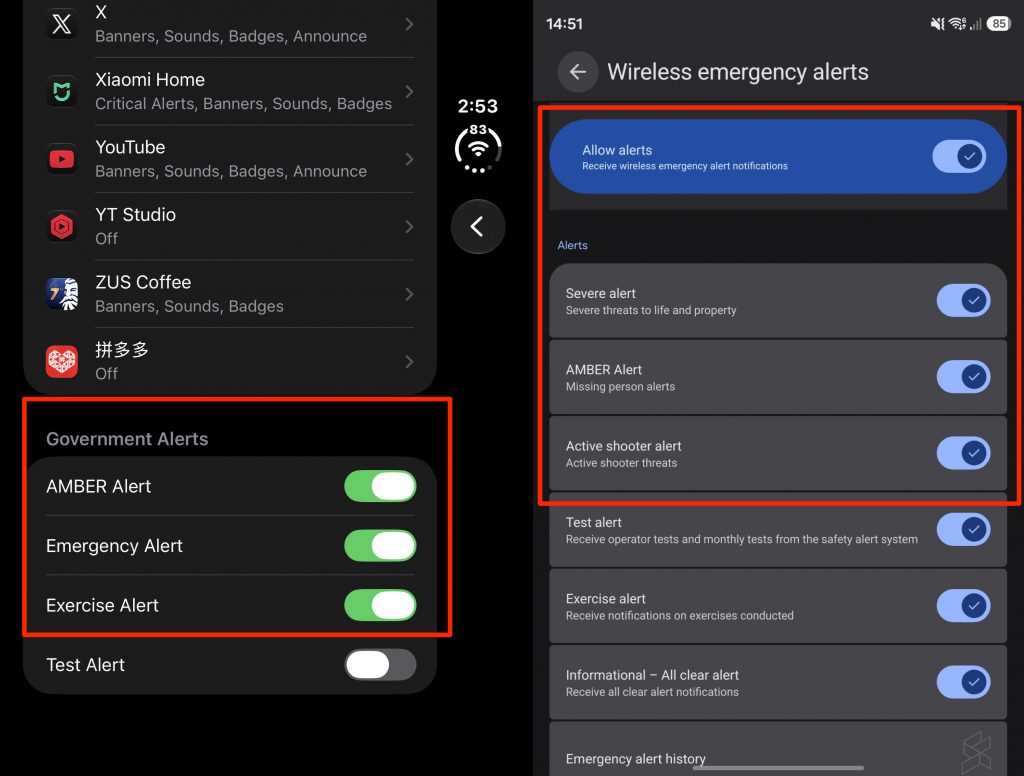
Users should also check that the relevant emergency alert settings are enabled as shown above.
For iPhone users, look for Government Alerts under Settings > Notifications. For Android and Huawei users, look for Wireless Emergency Alerts under Safety and Emergency.
It is worth highlighting that older phones that only support 2G or 3G networks will not be able to receive MySiren alerts. Some older 4G devices may also be incompatible if it doesn’t support Cell Broadcast technology or Malaysia-specific configuration.
Foreign visitors in Malaysia using roaming services and MVNO subscribers may also receive MySiren alerts, provided their devices are compatible and connected to participating Malaysian 4G or 5G networks.
MySiren may also work on phones without an active SIM card, including those with barred or suspended mobile lines.
Will MySiren alerts sound even when your phone is on silent?
According to MCMC, MySiren alerts will appear prominently on compatible mobile phones, accompanied by an attention-grabbing sound and vibration.
However, the alert display varies on the device, operating system and alert category.
MySiren supports six alert categories:
- National Alert
- Extreme Alert
- Severe Alert
- Missing Person Alert
- Test Alert
- Exercise Alert
For National Alerts and Extreme Alerts, the phone will sound and vibrate even when it is set to silent or Do Not Disturb mode.
MCMC also clarified that National Alerts and Extreme Alerts cannot be disabled through the phone’s settings. Users may opt out of other alert categories, depending on their device and operating system.
MySiren alerts will appear through the phone’s built-in emergency alert function, rather than as ordinary SMS or instant messages from third-party apps.
MCMC also reminds users that genuine MySiren alerts will never ask for passwords, banking details, one-time passwords (OTPs) or payments.
For more info, you can check out MCMC’s MySiren page.