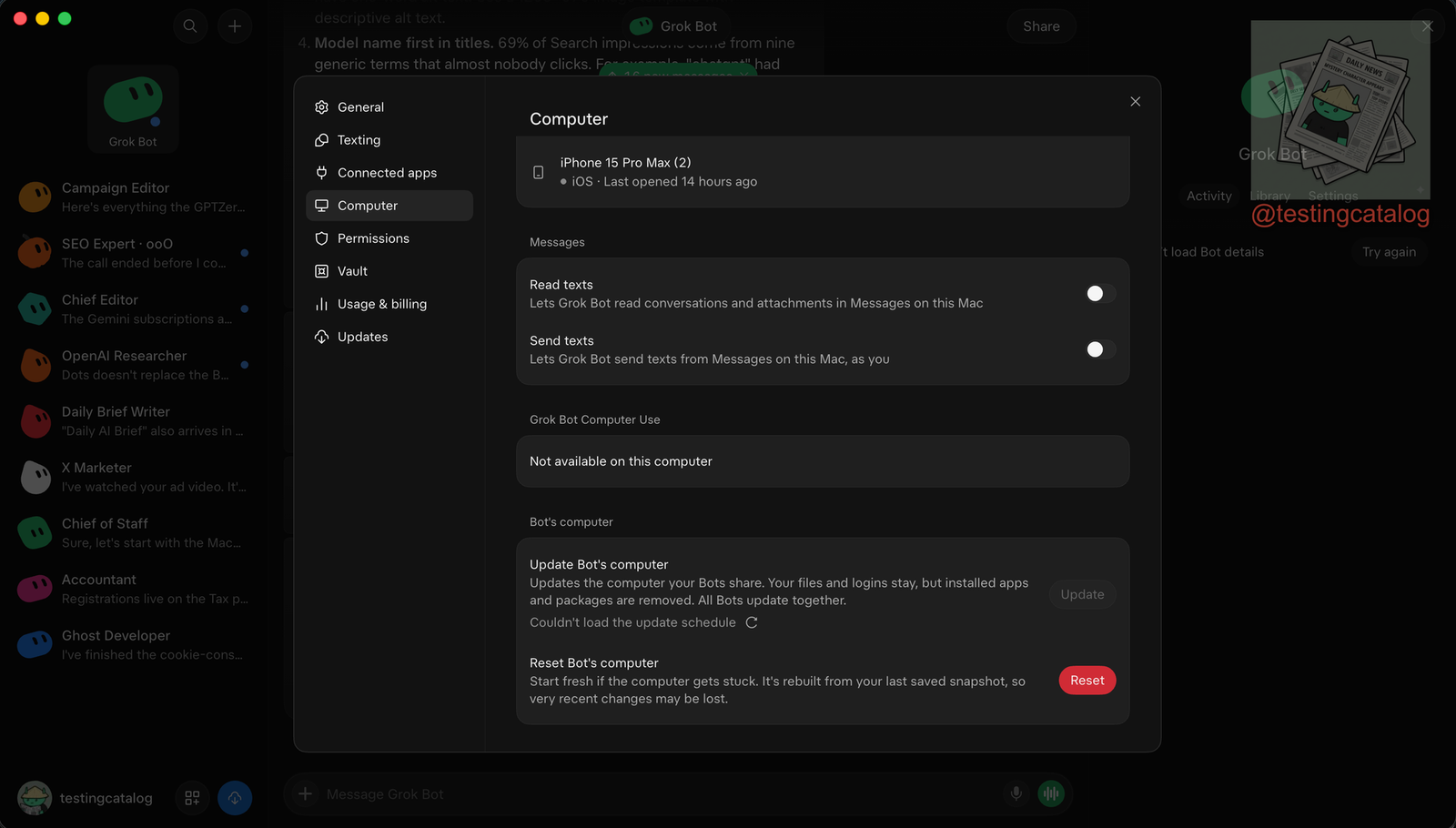
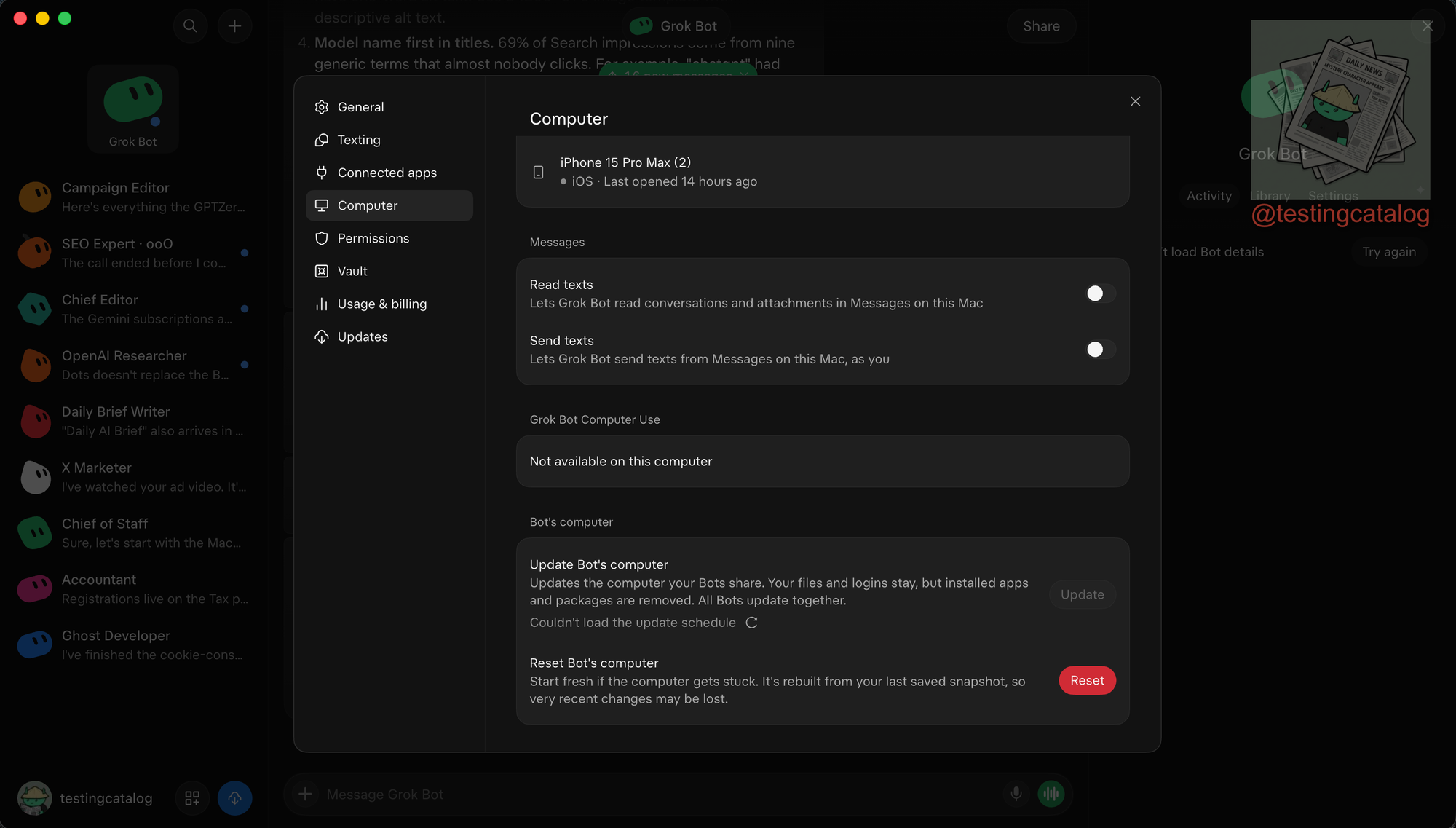
SpaceXSI is preparing two new capabilities for the Grok Bot app on macOS: local Computer Use and system-level dictation. Both are still in development and not available to anyone yet. Today, Computer Use in Grok Bot runs through cloud VMs, where Bots work on a hosted computer that keeps going even when your laptop is closed. The upcoming local option would let Grok Bot operate apps directly on your desktop.
The Computer tab in Settings now lists a separate “Grok Bot Computer Use” section, which says “Not available on this computer” for now. It sits apart from the “Bot’s computer” section, where users update or reset the cloud machine that all their Bots share, so the two modes look set to live side by side.
“Dictation in any app” is in the works too. A new Dictation entry in General settings, marked as internal, reads “Talk in any app. Hotkeys, dictionary, snippets, whisper, retention and history live in their own window.” It includes an Open dictation settings button that points to a standalone voice input tool for the whole Mac.
Grok Bot launched in August as a team of always-on AI agents, reached version 1.0 this month, and its Mac app recently gained access to Messages, Mail, Notes, Reminders, Calendar, Location and Contacts. Local Computer Use would extend that reach to any desktop app, something many users have asked for, while dictation would bring Grok Bot’s voice input to every text field on the Mac. For people who hand daily work to Bots, it means fewer trips between the cloud computer and their own machine. SpaceXSI has not shared any release timing.
Grok Bot on Mac can now use Messages, Mail, Notes, Reminders, Calendar, Location, and Contacts. pic.twitter.com/xZEMB14KJ4
— Grok Bot (@bot) November 12, 2026