I use Windows as my primary operating system, but I also run macOS on a Mac Mini and dual-boot Linux. I’m not planning to leave Windows anytime soon, but I like knowing I could without losing the apps I depend on every day. These eight free apps are the reason switching platforms doesn’t scare me.
Bitwarden
The password manager that works everywhere

I may have lost count of how many times I’ve recommended Bitwarden in the past, yet it remains one of the easiest apps to suggest for account security and password management. Bitwarden offers excellent cross-platform support across Windows, macOS, Linux, Android, and iOS, and it even covers lesser-known browsers through its extension.
I switched from Dashlane after using it for almost a decade because I wanted a free option that didn’t feel like a downgrade. Bitwarden delivered. It offers unlimited passwords with no device limit, uses zero-knowledge end-to-end encryption, and has stayed clear of any breach news, which is more than most password managers can say.
The web vault UI is clean and responsive, and the desktop and mobile apps work just as well. If you opt for the premium plan at $19.80 a year, you get password health reports, 5 GB of encrypted file attachments, and support for YubiKey, U2F, and Duo. But even the free tier covers everything most people need.
Obsidian
A local-first note-taking app built on plain Markdown

Obsidian is what I use to write my articles. It’s feature-rich yet clean, but more importantly, it saves all my files in plain Markdown format. Every file lives locally on my drive, so I own my notes completely and can open them in any text editor on any platform.
At first, Obsidian looks like it involves a steep learning curve, but it’s as easy as setting up a vault folder and starting to write. The rest falls into place as you start wanting more features. It offers folders, multiple vaults, internal linking, tags, a knowledge graph, split view, and a command palette to keep everything organized. I’ve even used it to publish my notes as a website, and for everything else, Obsidian has over 2,700 community plugins for Kanban boards, calendars, task management, mind maps, and more.
You can opt for the cloud sync with Obsidian Sync for $5 a month, but free folder sync through Google Drive, Dropbox, or Syncthing works just fine.
Microsoft Edge
A feature-packed browser that runs on every platform

I switched from Chrome to Microsoft Edge almost three years ago, and I haven’t looked back since. Edge is everything Google Chrome is, but with more features and better resource efficiency. In our browser benchmark test, Edge used 17% less memory while packing more features than Chrome for identical use cases.
Edge being a Microsoft product means it’s fully cross-platform, so there are no issues regardless of what platform you adopt, as long as you have a Microsoft account to sync your browser data. The browser does try to push its Copilot AI assistant everywhere, but you can keep it hidden and never interact with it.
What I also like is the support for vertical tabs, immersive reader, built-in screenshot tools, and split-screen to view two tabs side by side, which is essential to my workflow. While Edge has its own extension store, it’s fully compatible with Chrome’s Web Store, so anything that works on Chrome will work on Edge.
Tailscale
A private mesh network that replaces port forwarding

I prefer to use Tailscale to reach my NAS and other self-hosted services, share files with family, and manage backups without port forwarding or dealing with firewalls. Tailscale is technically a VPN, but it works very differently from the usual VPN services like NordVPN.
Instead of connecting to a public server to hide your identity, it creates a private, encrypted mesh network called a tailnet that connects only your devices, allowing them to securely talk to each other over the internet. Tailscale supports sign-in through your existing Microsoft, Google, or GitHub account and works across Windows, macOS, Linux, iOS, and Android.
You can also use it as a conventional VPN with exit nodes, routing your traffic through one of your own devices. For anyone who self-hosts anything, Tailscale makes the whole experience far less painful.
UnigetUI
A graphical package manager for bulk app installs

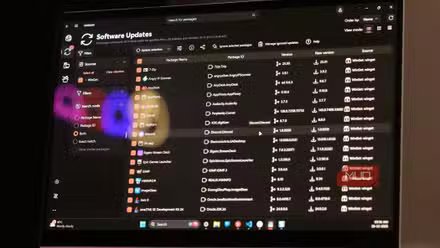
Installing apps on Windows isn’t difficult. You can download installers from a developer’s website or use the Microsoft Store. But when I’m dealing with multiple apps at once, UnigetUI is what I use to find, install, and update apps on my PC. It’s also available for macOS.
Windows already comes with Winget, a package manager, pre-installed. UnigetUI adds a graphical layer on top of it, making it easy for people who don’t want to use the terminal to manage their apps. It can pull from Chocolatey, Scoop, pip, npm, and .NET Tool, so a search rarely comes up empty.
What’s more impressive is the bulk installer. You can install multiple apps automatically without triggering repeated admin prompts. You can export your entire setup for a new PC or a Windows reinstall, and even share it with a QR code. It also supports rolling back updates, so when a GPU driver update brings your PC to a halt, you can undo it without hunting for an old installer. UnigetUI was recently acquired by Devolutions, but it remains open-source and free for personal use.
PowerShell 7
The cross-platform shell for admin work and scripting

Windows comes with PowerShell 5.1 pre-installed, and it works for day-to-day tasks. But PowerShell 7 is where the new features are, and it’s essential for anyone doing admin or automation work. The good news is that PowerShell went open-source in 2016 and brought support for Linux and macOS.
The latest version runs on the modern .NET framework and is noticeably faster. You also get better scripting syntax: && to chain commands, ternary and null-coalescing operators, and ForEach-Object -Parallel to process jobs concurrently. If you work with Windows Terminal, PowerShell offers the best day-to-day experience at the prompt, and I’m glad it’s available on every platform I use.
Windows App
Remote desktop access to your Windows PC from anywhere

I use multiple PCs at a time. Even now, I have a Windows laptop and a Mac Mini running side by side, and that’s how I work most days. The tool that makes managing both machines easy is Windows App.
I use it on my Mac Mini to control my Windows PC, so I don’t have to break my flow or switch input devices. Windows App became more useful after Microsoft removed the requirement for a work or school account, making it available for local use and for everyone with a compatible PC.
There is a catch, though. The host Windows PC needs Remote Desktop enabled, which is only available on the Pro, Education, and Enterprise editions of Windows. If you’re on the Home edition, you’d need an RDP wrapper workaround to get it working.
The media tool that does far more than play videos
VLC media player is one of the first tools I install on any PC, and that won’t change if I switch platforms. VLC is available across Windows, macOS, Linux, Android, and iOS, and it works the same everywhere.
Out of the box, VLC supports almost every major audio and video format, but it’s more than just a media player. VLC can double as a desktop screen recorder, a universal format converter, a podcast manager, and even a live TV streaming client with free channels. For a tool that’s been around for over two decades, the fact that it keeps finding new ways to be useful is remarkable.
These apps make switching less scary
Beyond these eight, I also have a bunch of other apps that I’m glad are cross-platform. The most important ones are Blip for file sharing between my phone, PC, and Mac, and Duplicati to back up my data to a local drive as well as to the cloud.
That said, not everything has a clean alternative. My preferred clipboard manager Ditto, doesn’t have a macOS counterpart, and the text expansion app, aText, isn’t free on macOS like it is on Windows, though it is available if you want it. Windows still has more going for it in my daily workflow, but the gap has shrunk enough that leaving wouldn’t mean starting from scratch. If you have a favorite cross-platform app you can’t work without, I’d love to hear about it in the comments.